Email Verification Built Into Your Cold Email
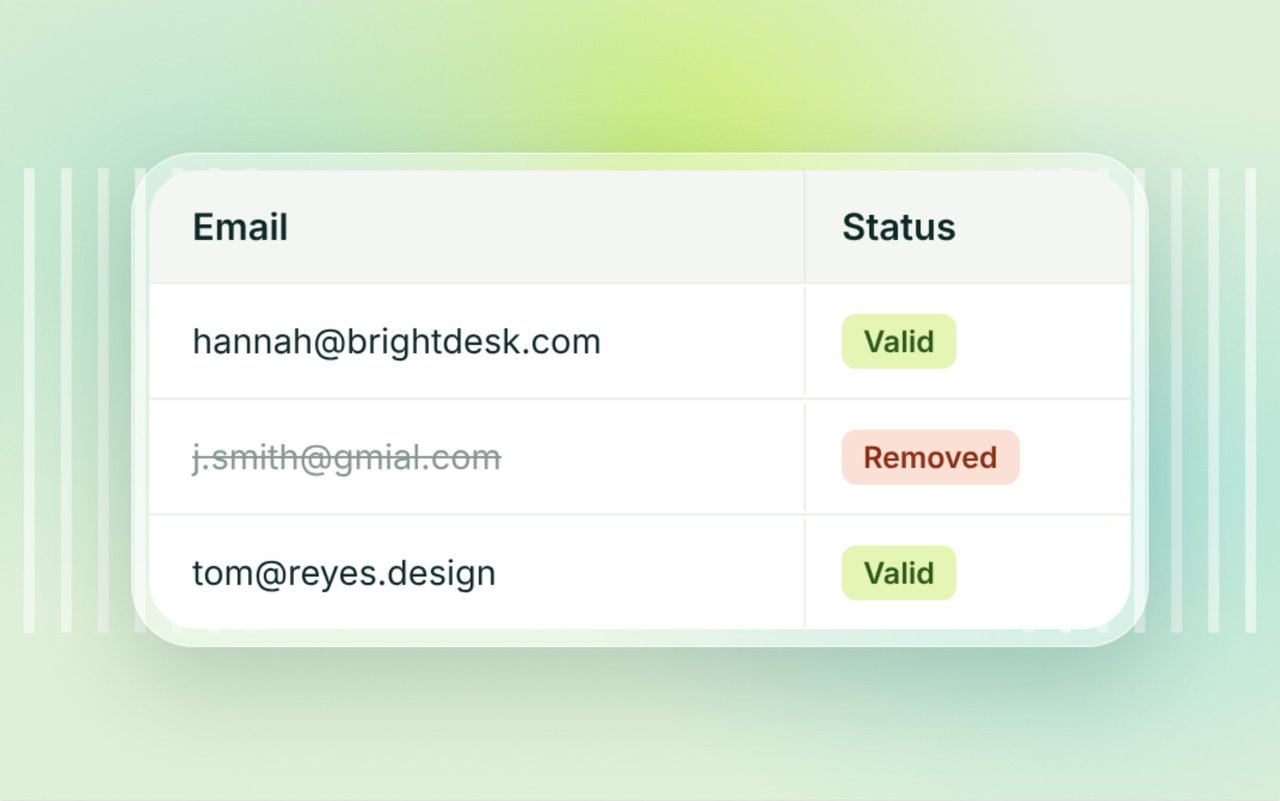
Alienmail checks your lead list before every send, right inside your campaign. Bad addresses come off before they bounce, so your sender reputation stays healthy and more emails reach real people.
- Runs before every send
- No separate verifier
- No export and re-import
- Always free
Why a Clean List Decides Whether You Reach the Inbox
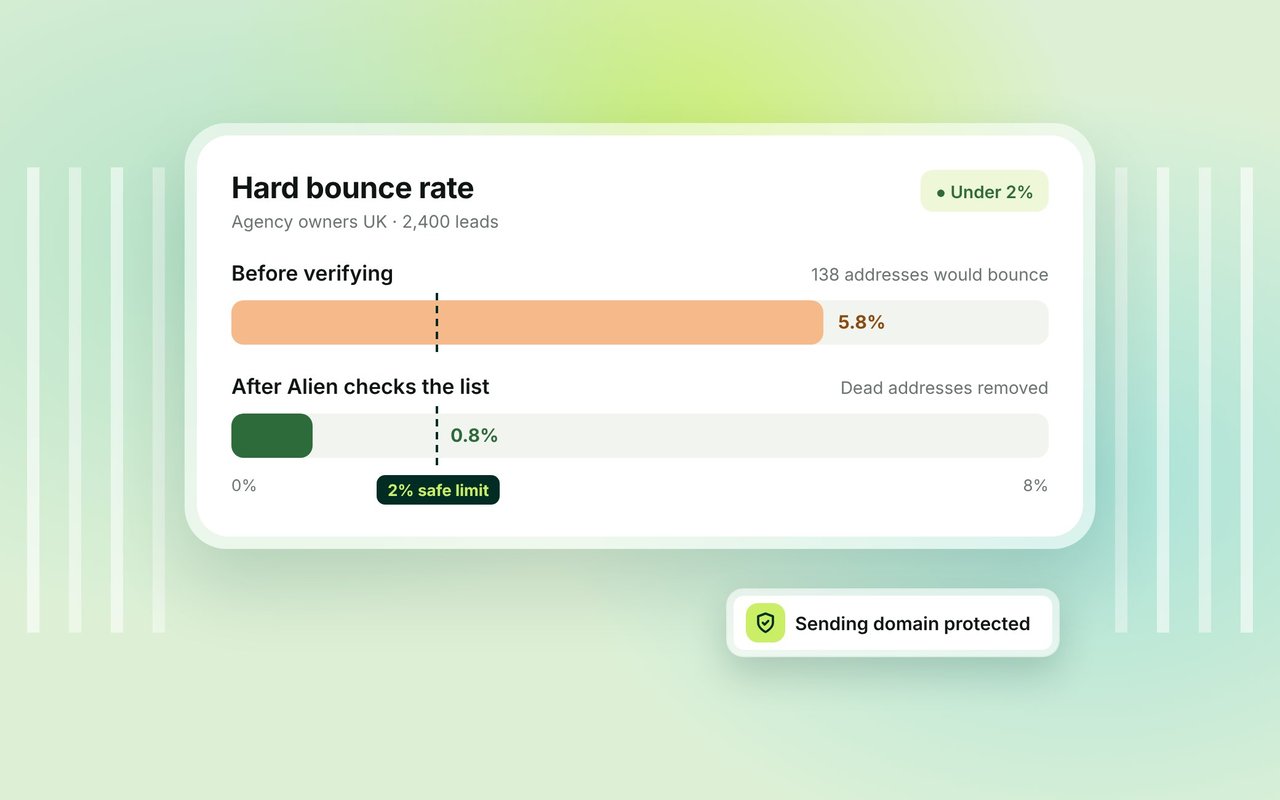
Inbox providers watch how many of your emails bounce. When too many addresses are dead, they treat you as a careless or fake sender and start sending your mail to spam, even to the valid addresses on your list. Keeping hard bounces under 2% is the single easiest way to protect a sending domain, and verification is how you get there.
No Separate Verifier, No Export Dance
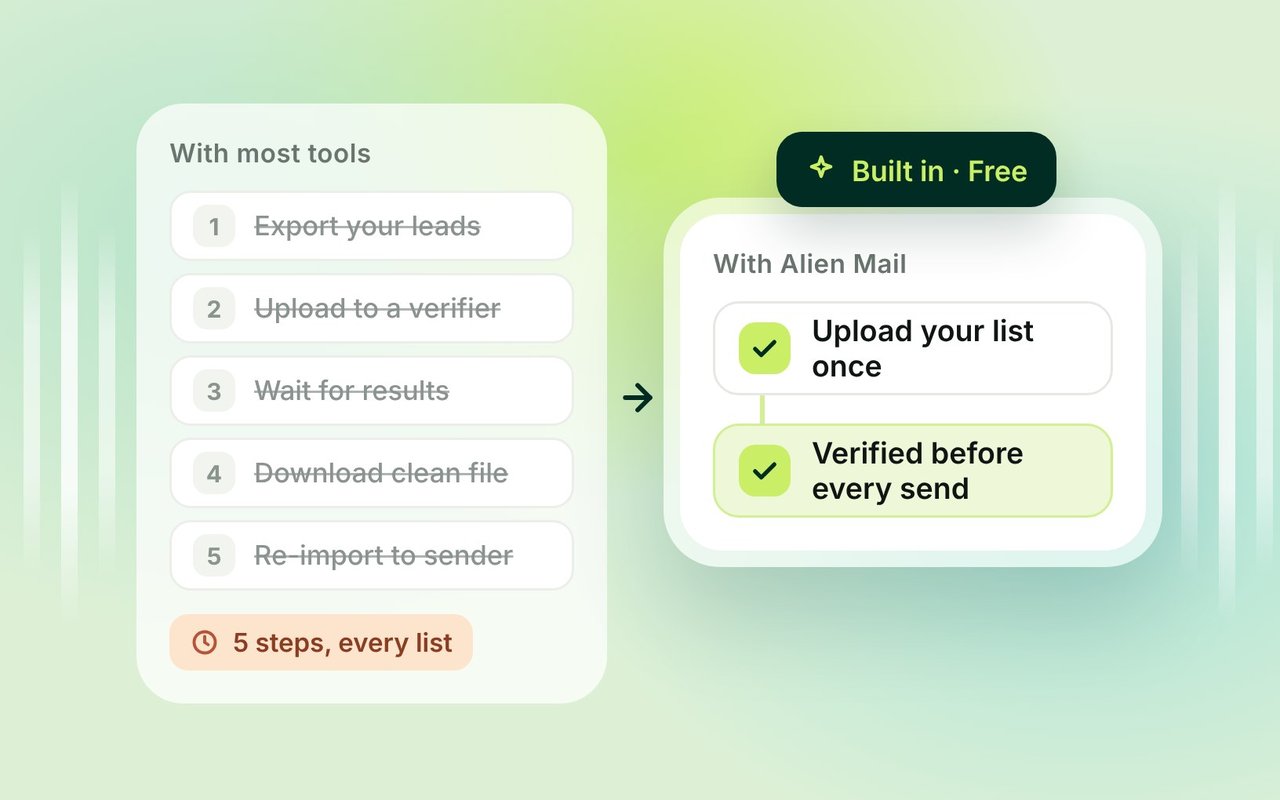
With most tools, cleaning a list is its own chore: export your leads, upload them to a verifier like ZeroBounce, wait, download the clean file, then re-import it into your sender. Alienmail runs verification inside the campaign, right before it sends, so you skip all of that. You upload your list once and Alienmail removes the bad addresses for you.
How Alienmail Verifies Your List
Alienmail runs each address through a series of checks and removes or flags the ones that would bounce or hurt your reputation.
Format check
Catches typos, bad characters and misplaced @ signs.
Domain check
Confirms the domain exists and can receive mail (MX records).
Disposable filter
Removes temporary and burner addresses.
Mailbox check
Confirms the mailbox exists, without sending it a message.
Catch-all and spam-trap detection
Flags risky addresses and known traps.
Role and risk scoring
Flags role addresses like info@ and sales@ so you can decide whether to keep them.
Alienmail vs Standalone Email Verifiers
Standalone verifiers charge per batch and sit outside your sender. Alienmail runs the same checks inside the campaign.
 | ZeroBounce | NeverBounce | |
|---|---|---|---|
| Where it runs | Inside your campaign, before send | Separate app | Separate app |
| Export and re-import | No | Yes | Yes |
| Price | Always free | From $39 for 2,000 emails, pay as you go | $8 per 1,000 emails, pay as you go |
| Also sends your cold email | Yes | No | No |
Pay-as-you-go prices from each tool's pricing page, checked 27 October 2026. ZeroBounce also sells a $99/mo subscription, and NeverBounce a $49/mo plan for up to 10,000 emails.
Prices checked October 2026What Verification Can and Can't Catch
Verification removes most dead addresses, but no verifier catches every one. Some mail servers hide whether a mailbox exists (greylisting), and a catch-all domain accepts everything, so it can't be fully checked. Alienmail flags these as risky rather than guessing. The honest goal is to cut your bounce rate well under 2%, not to promise zero bounces.
Email Verification FAQ
Email verification checks whether an address is real and can receive mail, without sending it a message. For cold email, it means removing dead addresses from your list before you send, so they don't bounce.
Send to a Clean List, Every Time
Verification runs before every send. Always free, no separate tool.