SpamAssassin Score: What It Means and How to Lower It
A SpamAssassin score of 5 or more usually means spam. Here's how the score is calculated, which rules cold emails trip most often, and how to fix them.
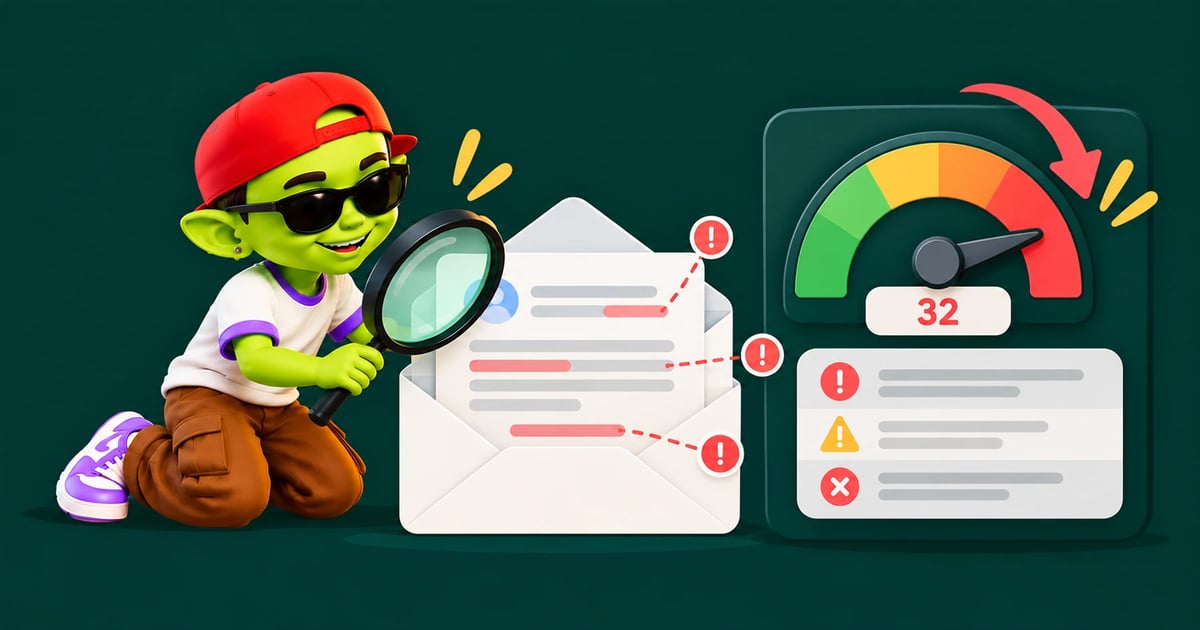

A SpamAssassin score is a number that shows how spammy an email looks to SpamAssassin, a widely used open-source spam filter. Every matched rule adds or removes points. If the total reaches the threshold, 5.0 by default, the email is flagged as spam. A lower score is better. Most well-built cold emails score well under 2.
How SpamAssassin calculates a score
SpamAssassin is maintained by the Apache Software Foundation. It runs hundreds of tests against each message. The tests look at headers, authentication, body text, links and network reputation. Each test has a weight. A failed SPF check adds points. A valid DKIM signature can remove them.
The final score is the sum of every rule that matched. No single rule decides the result. The official configuration docs set required_score to 5.0 by default, and describe that setting as "quite aggressive."
Score | What it usually means |
|---|---|
Below 0 | Strong positive signals, such as valid authentication |
0 – 2 | Healthy. Typical for clean, authenticated mail |
2 – 5 | At risk. Stricter filters may already flag it |
5 and above | Marked as spam under default settings |
Does Gmail use SpamAssassin?
No. Gmail and Outlook use their own filters, which weigh sender reputation and engagement heavily. So why care about your SpamAssassin score?
Because many company mail gateways, web hosts and smaller providers do use it. B2B prospects often sit behind those systems. And the rules SpamAssassin checks, such as broken authentication, missing reverse DNS and spammy links, are the same problems that hurt you at Gmail too. A high score is a useful warning sign even when your prospect uses Google.
Rules cold emails trip most often
Rule (example names) | What triggers it | Fix |
|---|---|---|
| Sending server isn't listed in your SPF record | Add your sending service to SPF |
Missing | No DKIM signature, or one that doesn't align with your From domain | Publish DKIM and sign with your own domain |
| Sending IP has no reverse DNS (PTR) record | Use a reputable provider, or set PTR on your own server |
| HTML email with no plain-text version | Send plain text or a proper multipart message |
| Mostly images, very little text | Use text. Drop banner images in cold email |
URI blocklist rules | A link in the body points to a listed domain | Check every link, including your tracking domain |
Exact rule names and point values change between versions and rule updates. Treat the list above as typical patterns, not fixed weights.
How to check your SpamAssassin score
Send a real campaign email to a testing tool. Tools like mail-tester show the SpamAssassin rules your message triggered. Our deliverability testing tools guide compares the options.
Send from the actual inbox and platform you'll use. Testing from a different account tells you nothing about your real setup.
Read the matched rules, not just the total. The rule list tells you exactly what to fix.
Retest after each change. Fix one thing at a time so you know what worked.
Some testers show a score out of 10 where higher is better. That is the tool's own scale, not the raw SpamAssassin number. Check which one you're looking at.
How to lower your score
Fix authentication first. SPF, DKIM and DMARC problems carry heavy weight. Follow our SPF, DKIM and DMARC guide.
Write in plain text. Cold email doesn't need HTML templates, logos or banners.
Limit links. One link at most in a first touch. Avoid URL shorteners.
Use a custom tracking domain, or turn tracking off. Shared tracking domains can carry other senders' bad reputation.
Avoid spam-trigger formatting. No ALL CAPS subject lines, rows of exclamation marks, or "100% free" style claims.
Check blocklists. If your domain or IP is listed, the score climbs no matter how clean the copy is. Our blacklist removal guide explains how to get delisted.
A low score isn't the whole story
A score of 0.5 doesn't guarantee the inbox. Gmail and Outlook care most about your domain's reputation and how people react to your mail. A clean SpamAssassin result paired with high bounce rates or spam complaints will still land in spam. Use the score as a technical check, then watch real inbox placement over time. AlienMail's deliverability monitoring tracks placement, spam rate and DNS health for every connected inbox, so you see problems before a campaign suffers.
A five-minute pre-send check
Run this before every new campaign, not just once:
Send your first email, as written, to a testing tool from the real sending inbox.
Confirm SPF, DKIM and DMARC all show "pass" in the results.
Check the matched rules list. Fix anything above about 0.5 points.
Click every link and make sure each domain is one you trust.
Read the plain-text version. If it looks broken, so will the email in some inboxes.
New copy, new links and new sending domains can all change your score. A quick retest catches problems before they reach a thousand prospects.
Bottom line
Keep your SpamAssassin score under 2. Fix authentication, send plain text, limit links and stay off blocklists. Then treat the score as one signal among several. Real inbox placement is the number that pays.
Related guides: cold emails going to spam in Gmail, DMARC record guide and domain reputation.
Frequently asked questions
What is a good SpamAssassin score?
Below 2 is healthy, and below 0 is excellent. The default spam threshold is 5.0, but stricter servers may flag mail at lower scores.
Is a higher SpamAssassin score better?
No. Lower is better in raw SpamAssassin scores. Some testing tools flip this into a score out of 10 where higher is better, so check the scale.
Can a good email still have a high spam score?
Yes. Broken authentication or a blocklisted link can push well-written mail over the threshold. Fix the technical issues first.
Do Gmail and Outlook use SpamAssassin?
No. They run their own filters. But many corporate gateways and hosting providers use SpamAssassin, so it still matters for B2B outreach.
More from the blog
Your next campaign is six minutes away
Connect your business and let Alien AI handle the writing, structuring, and optimizing.
Generate my Business DNA — free