SPF, DKIM and DMARC Explained: Setup Guide With Examples
SPF, DKIM and DMARC explained in plain words: what each checks, how they work together, and copy-ready records for Google Workspace and Microsoft 365.

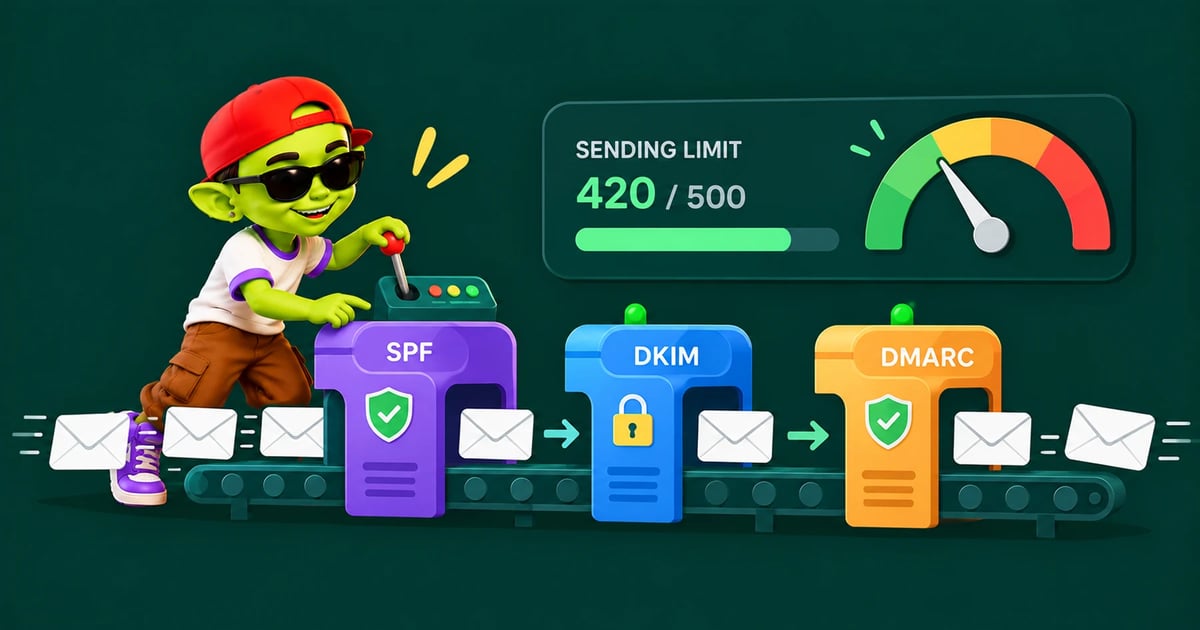
This guide to SPF, DKIM and DMARC explains what each record does, how the three work together and how to set them up, with examples you can copy.
The short answer: SPF lists the servers allowed to send email for your domain. DKIM adds a signature that proves an email wasn't changed. DMARC tells inboxes what to do when an email fails, and only passes when SPF or DKIM passes for the same domain shown in the From line. You need all three, published as DNS records, before you send cold email.
SPF vs DKIM vs DMARC at a glance
SPF | DKIM | DMARC | |
|---|---|---|---|
Question it answers | Is this server allowed to send for the domain? | Was the email signed by the domain and left unchanged? | Did SPF or DKIM pass for the From domain, and what if not? |
Where it lives | TXT record on the domain | Public key in DNS at a selector, private key on the sending server | TXT record at |
What it checks | The hidden sending address (Return-Path) | The | That the passing domain matches the From address |
Fails when | The server isn't listed, or the record has errors | The key is missing, wrong or the email was altered | Neither SPF nor DKIM passes in alignment |
Standard | RFC 7208 | RFC 6376 (keys: RFC 8301) | RFC 9989 (May 2026) |
SPF: who is allowed to send for your domain
SPF is one TXT record that lists the services allowed to send email from your domain. Receiving servers look up the domain in the email's Return-Path and check whether the sending server is on the list.
Google Workspace
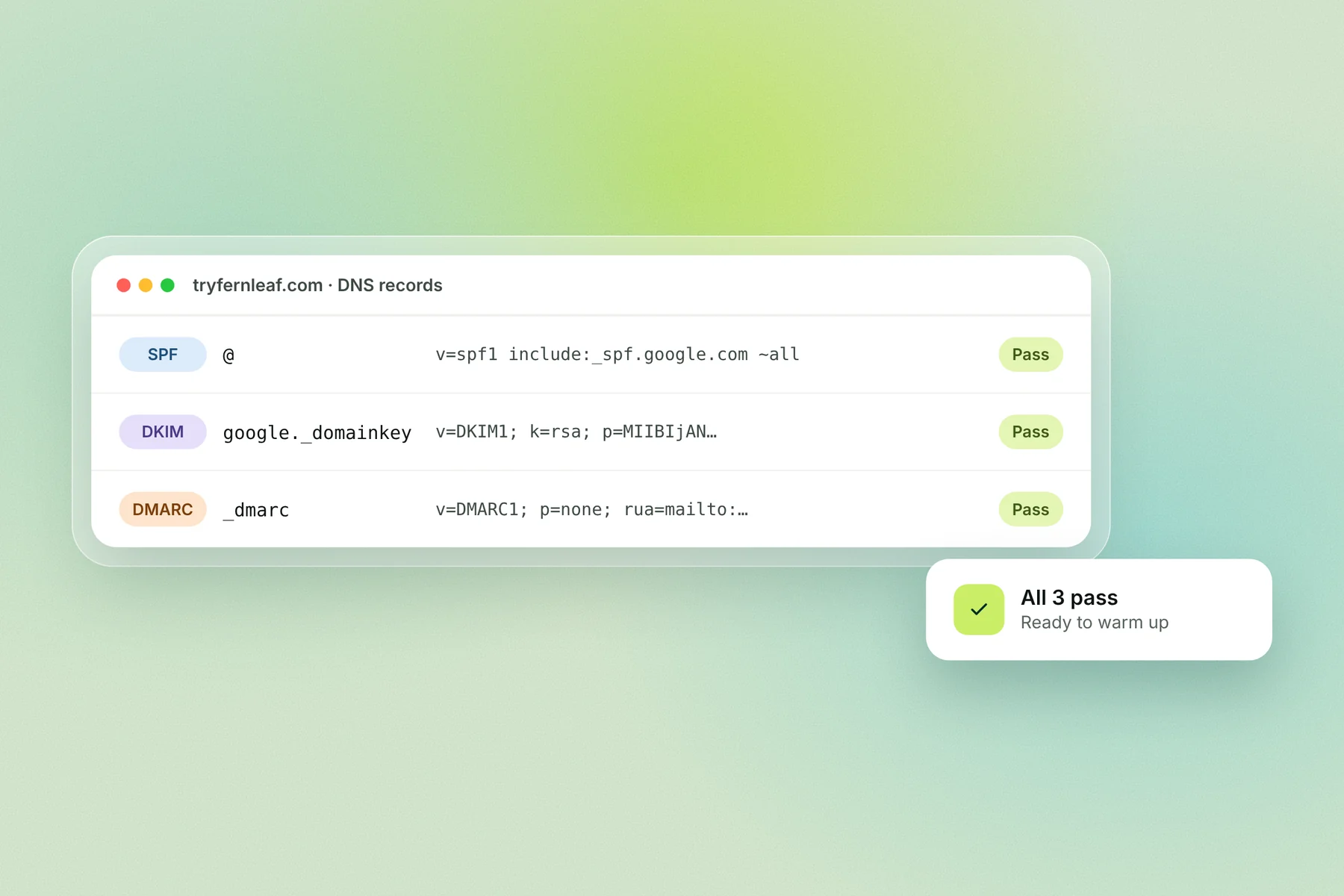
v=spf1 include:_spf.google.com ~allMicrosoft 365
v=spf1 include:spf.protection.outlook.com -allGoogle Workspace plus another sending service
v=spf1 include:_spf.google.com include:sendgrid.net ~allPublish it as a TXT record on the domain itself (host @).
~all or -all?
The two providers recommend different endings. Google recommends ~all (soft fail: accept but mark as suspicious). Microsoft recommends -all (hard fail: unlisted senders aren't authorized), because with ~all DMARC is effectively ignored for messages that also lack a DKIM signature (Microsoft). Use your mailbox provider's recommendation. Once DKIM and DMARC are in place, either ending works, because DMARC makes the final call.
The 10-lookup limit
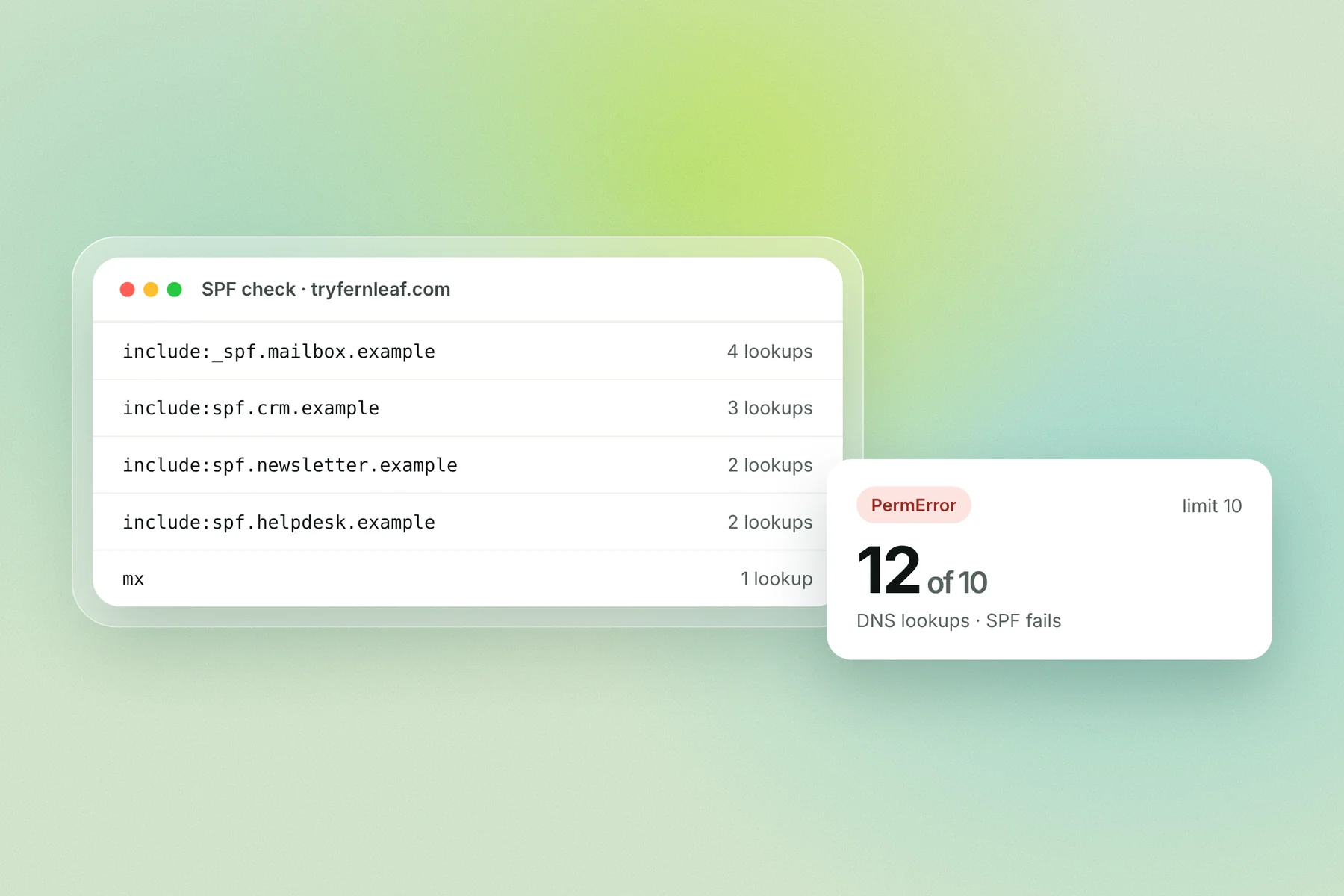
SPF allows at most 10 DNS lookups while it's checked. Each include, a, mx, ptr and exists counts, and so does redirect; nested includes count too. Go over 10 and the result is a permanent error (permerror), which counts as an SPF failure (RFC 7208). ip4, ip6 and all don't count.
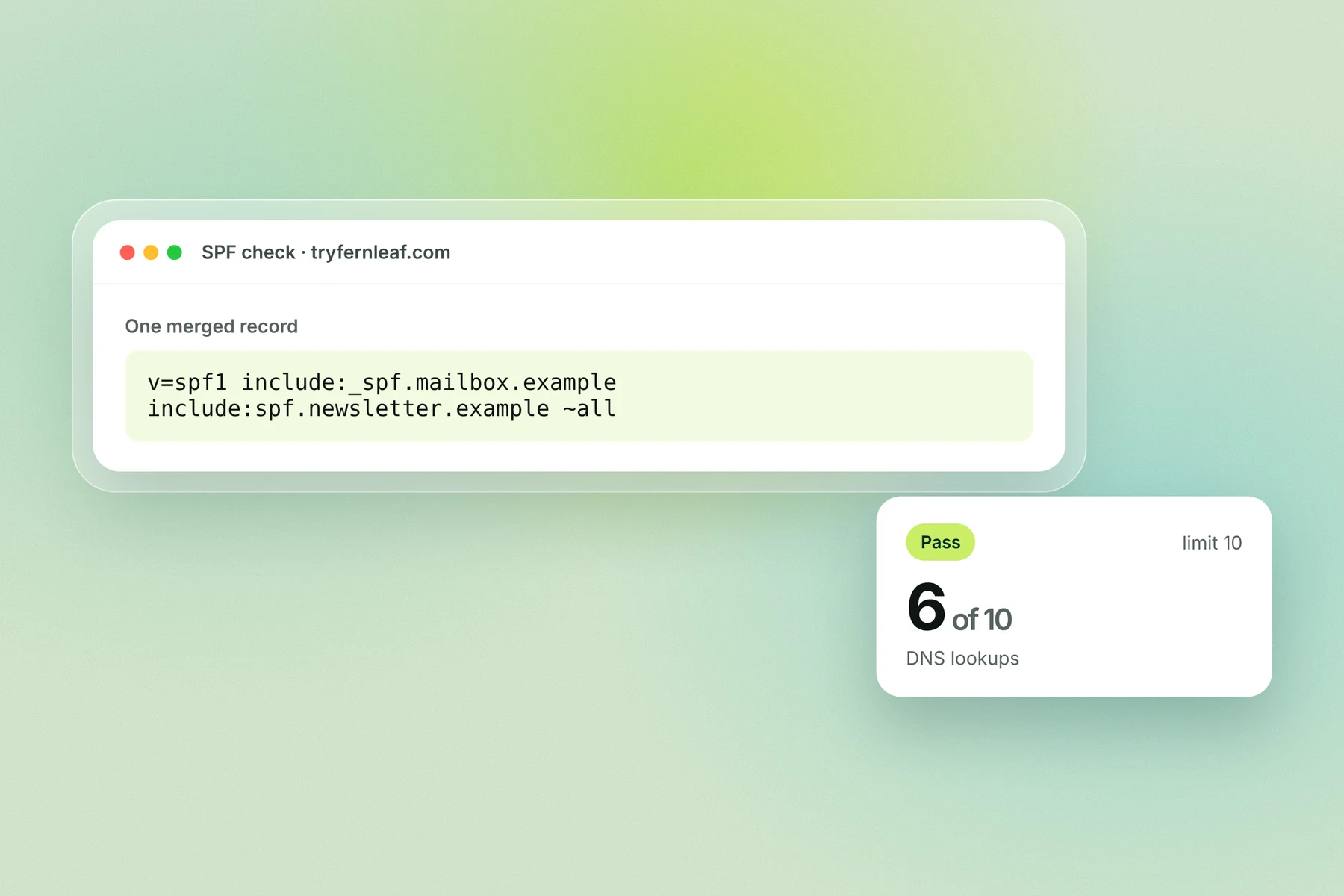
One record only. A domain must have exactly one SPF record. Two separate v=spf1 records also produce a permerror, so merge every service into one record.
DKIM: a signature on every email
DKIM signs each email with a private key held by your sending service. Receiving servers fetch the matching public key from your DNS and check the signature. If it verifies, the email came from your domain and wasn't changed in transit.
Turn on DKIM in Google Workspace
In the Admin console, go to Apps → Google Workspace → Gmail → Authenticate email.
Pick the domain, click Generate New Record, choose 2048-bit and keep the default selector
google.Add the TXT record at your DNS host, then click Start authentication.
Host:  google._domainkey
Type:  TXT
Value: v=DKIM1; k=rsa; p=MIIBIjANBgkqhkiG9w0BAQEFAAOCAQ8A... (your key)
Google says it can take up to 48 hours for DKIM to start working, and you need to wait 24 to 72 hours after turning on Gmail before you can generate the key (Google).
Turn on DKIM in Microsoft 365
Microsoft uses two CNAME records instead of a TXT record, so it can rotate keys for you.
Host:  selector1._domainkey
Type:  CNAME
Value: selector1-tryfernleaf-com._domainkey.fernleaf.n-v1.dkim.mail.microsoft

Host:  selector2._domainkey
Type:  CNAME
Value: selector2-tryfernleaf-com._domainkey.fernleaf.n-v1.dkim.mail.microsoft
Custom domains added after May 2025 use this dkim.mail.microsoft format; older domains point to ...onmicrosoft.com instead. The values above are an example: copy the exact ones from the Microsoft Defender portal or Get-DkimSigningConfig (Microsoft).
Key size
Use 2048-bit keys where your DNS host allows them. The DKIM key standard requires at least 1024 bits and recommends 2048 (RFC 8301). Google recommends 2048. Microsoft 365 defaults to 1024, and you can switch to 2048 when you rotate keys.
DMARC: the policy that ties them together
DMARC is a TXT record at _dmarc that tells inboxes what to do with email that fails, and where to send reports. Start in monitoring mode:
Host:  _dmarc
Type:  TXT
Value: v=DMARC1; p=none; rua=mailto:[email protected]
Read the reports for a few weeks, fix any service that fails, then move to p=quarantine and finally p=reject. Our DMARC record guide covers every tag, the new RFC 9989 test mode (t=y) and why the old pct tag is now deprecated.
How SPF, DKIM and DMARC work together: alignment
DMARC passes only when SPF or DKIM passes and the domain it checked matches the domain in the From line. That match is called alignment. A pass for some other domain doesn't count (RFC 9989).
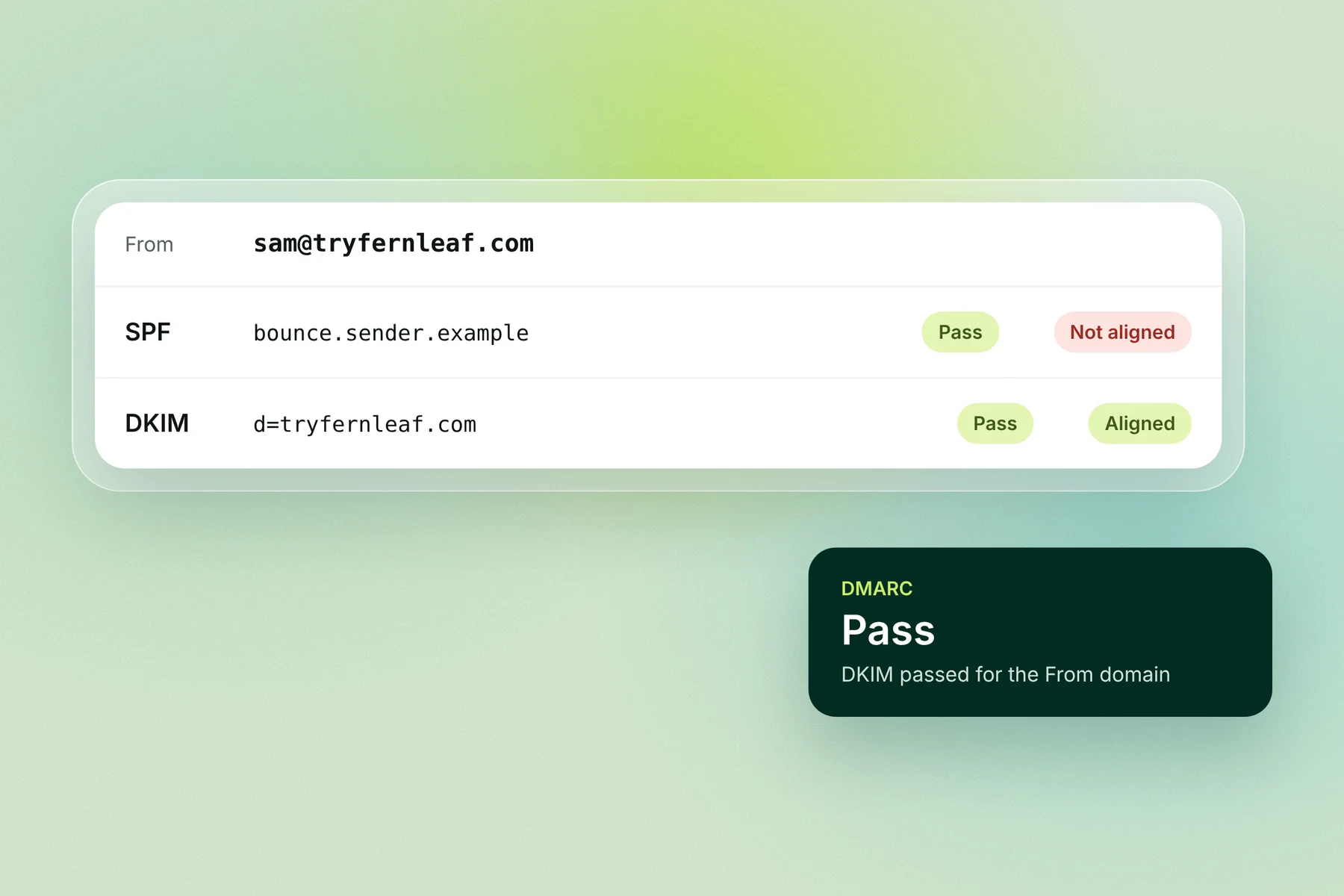
Worked example. Sam sends from [email protected] through a sending service.
Check | Domain checked | Passes? | Aligned with tryfernleaf.com? |
|---|---|---|---|
SPF |
| Yes | No |
DKIM |
| Yes | Yes |
DMARC | Pass, because DKIM passed in alignment |
If that service also signed with its own domain instead of yours, both checks would pass but neither would align, and DMARC would fail. This is the most common reason people see "SPF pass, DMARC fail".
Relaxed alignment (the default): the domains share the same organizational domain, so
mail.tryfernleaf.comaligns withtryfernleaf.com.Strict alignment (
adkim=soraspf=s): the domains must be identical.
Who requires SPF, DKIM and DMARC
Every sender to Gmail and Yahoo needs at least SPF or DKIM. Bulk senders need all three.
Mailbox provider | All senders | Bulk senders |
|---|---|---|
Gmail | SPF or DKIM, spam rate under 0.3% | Close to 5,000+ messages a day to personal Gmail accounts: SPF, DKIM and DMARC (at least |
Yahoo | SPF or DKIM, spam rate under 0.3% | SPF, DKIM and DMARC |
Outlook.com | Not stated on Microsoft's page | More than 5,000 emails a day, from 5 May 2025: SPF and DKIM must pass, DMARC at least p=none, aligned with SPF or DKIM; failing mail goes to junk or is rejected with 550 5.7.515 |
Cold email usually stays far below 5,000 a day per domain, but don't rely on that: inboxes treat a domain without all three as less trustworthy, and Gmail counts every message from the same primary domain together.
Setup order for a new domain
Set the records up in this order, because each step depends on the one before.
Set up the mailboxes in Google Workspace or Microsoft 365 for the domain.
Publish SPF with your provider's include, plus any other service that sends as the domain.
Turn on DKIM in your provider's admin and publish the record or CNAMEs.
Publish DMARC at
p=nonewith aruaaddress you'll read.Send a test email and check the headers (below).
Start warmup only once all three pass.
Move DMARC to quarantine, then reject, after a few weeks of clean reports.
DNS changes usually show up within an hour, but DKIM in Google Workspace can take up to 48 hours to start signing.
Records for a cold email sending domain
A secondary domain used only for cold email through Google Workspace needs these 3 records (plus MX for the mailboxes):
Host | Type | Value |
|---|---|---|
| TXT |
|
| TXT |
|
| TXT |
|
See secondary domains for cold email for how many domains to buy and how to name them.
How to check that SPF, DKIM and DMARC pass
1. Read the email headers. Send an email to a Gmail address, open it, click the three dots and choose Show original. Gmail shows SPF, DKIM and DMARC results at the top.
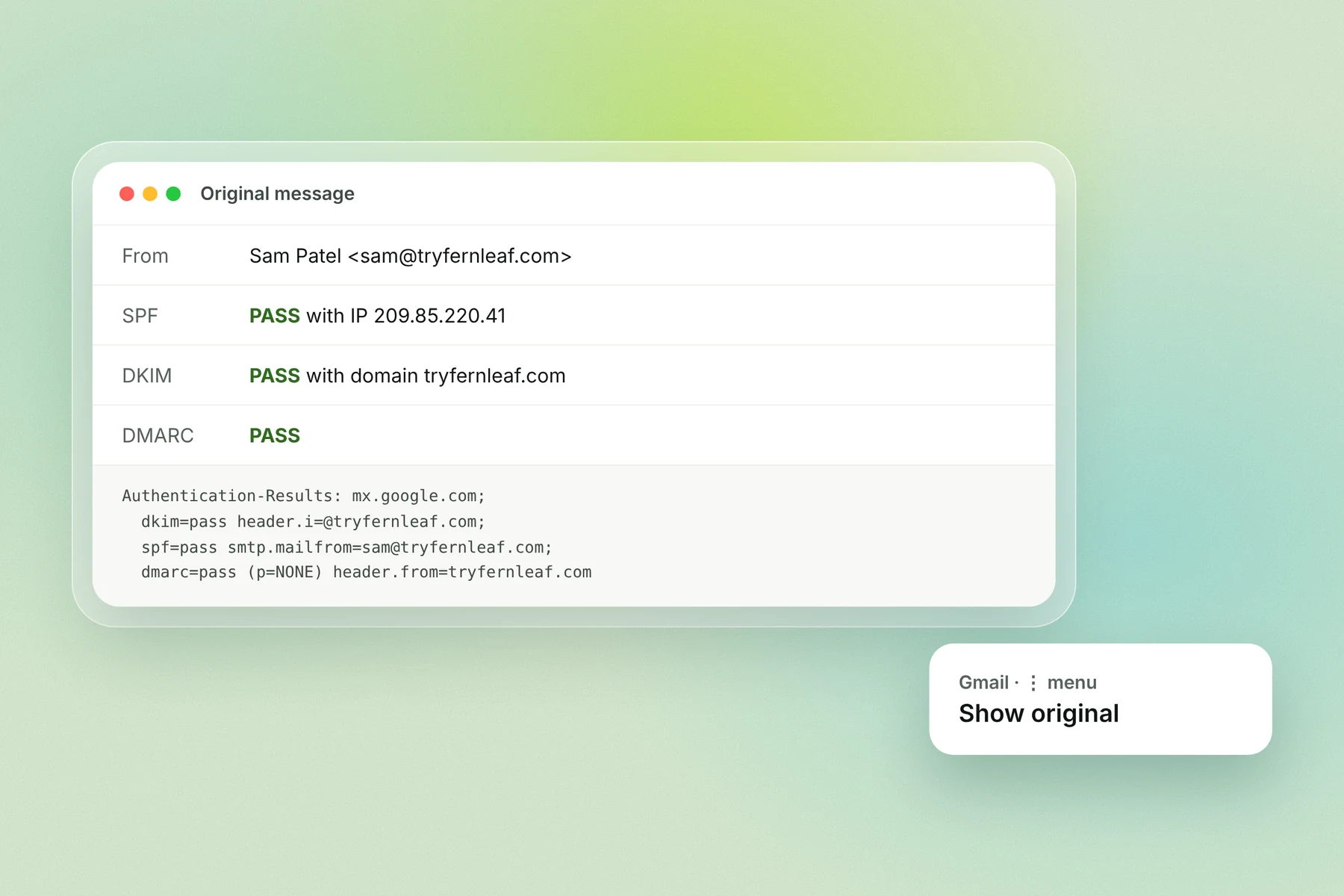
In the raw header, look for the Authentication-Results line:
Authentication-Results: mx.google.com;
  dkim=pass [email protected] header.s=google;
  spf=pass [email protected];
  dmarc=pass (p=NONE) header.from=tryfernleaf.com
2. Look up the records from the command line.
dig TXT tryfernleaf.com +short
dig TXT google._domainkey.tryfernleaf.com +short
dig TXT _dmarc.tryfernleaf.com +short
3. Use a lookup tool. MXToolbox, dmarcian and similar free tools read the records and count SPF lookups. See our deliverability testing tools comparison.
Common SPF, DKIM and DMARC errors and fixes
Error | What it means | Fix |
|---|---|---|
SPF permerror: too many lookups | The record needs more than 10 DNS lookups | Remove services you no longer use, move other senders to a subdomain, or replace stable includes with IP addresses |
SPF permerror: multiple records | The domain has two | Merge them into one record |
SPF softfail or fail | The sending server isn't in the record | Add the service's include |
DKIM fail or none | Key not published, wrong selector, or DKIM not turned on in the provider | Re-copy the record, check the selector, click Start authentication |
DMARC fail with SPF pass | SPF passed for the service's domain, not yours | Turn on DKIM signing with your own domain ( |
DMARC record not found | Record published at the wrong host | Publish at |
Beyond SPF, DKIM and DMARC
BIMI shows your logo next to your emails in supporting inboxes, but only once DMARC is at quarantine or reject. It's worth it on a main brand domain, rarely on a cold email domain. See BIMI explained.
Passing all three isn't the finish line. Authentication proves who you are; it doesn't make inboxes want your email. A new domain still needs warmup, a verified list and a sensible daily volume.
Check SPF, DKIM and DMARC in Alien Mail
When you connect a domain, Alien Mail checks its SPF, DKIM and DMARC records and flags anything missing before a campaign sends. Warmup starts once the records pass, and it's free on every inbox.
Start free → · How Alien Mail warmup works
Frequently asked questions
What is the difference between SPF, DKIM and DMARC? SPF lists the servers allowed to send for your domain. DKIM signs each email so inboxes can check it came from your domain unchanged. DMARC checks that SPF or DKIM passed for the From domain and tells inboxes what to do if not.
Do I need all three? Yes, for cold email. Gmail and Yahoo require at least SPF or DKIM from every sender and all three from bulk senders, and a domain with all three looks more trustworthy.
DMARC vs DKIM: which do I need? Both. DKIM is a check; DMARC is the policy that uses DKIM's (and SPF's) result. DMARC can't pass without SPF or DKIM passing in alignment.
Can I have two SPF records? No. Two v=spf1 records on the same domain cause a permanent error. Merge every service into one record.
Why does DMARC fail when SPF passes? Usually because SPF passed for your sending service's domain, not yours, so it isn't aligned with the From address. Turn on DKIM signing with your own domain.
Should I use ~all or -all in SPF? Follow your provider: Google recommends ~all, Microsoft recommends -all. With DKIM and DMARC in place, either works.
How long do SPF, DKIM and DMARC changes take? DNS changes usually show up within an hour. Google says DKIM can take up to 48 hours to start working after you add the record.
Key terms
SPF (Sender Policy Framework): a DNS record listing the servers allowed to send email for a domain.
DKIM (DomainKeys Identified Mail): a signature added to each email, checked against a public key in DNS.
DMARC: a DNS policy that requires SPF or DKIM to pass in alignment and says what to do with failures.
Alignment: when the domain SPF or DKIM checked matches the domain in the From line.
Permerror: a permanent SPF error, caused by more than 10 lookups or more than one SPF record.