Instantly and Smartlead Warmup: How It Works and the Alternatives
How Instantly and Smartlead warmup work in 2026: which warmup pool each plan gets, what Premium costs, and when a different warmup setup makes sense.


Instantly and Smartlead both bundle warmup with their sending plans. This guide explains how Smartlead warmup and Instantly warmup work, what they cost and the alternatives.
Disclosure: we make Alien Mail, which is one of the options below. Everything about Instantly and Smartlead comes from their own pricing and help pages.
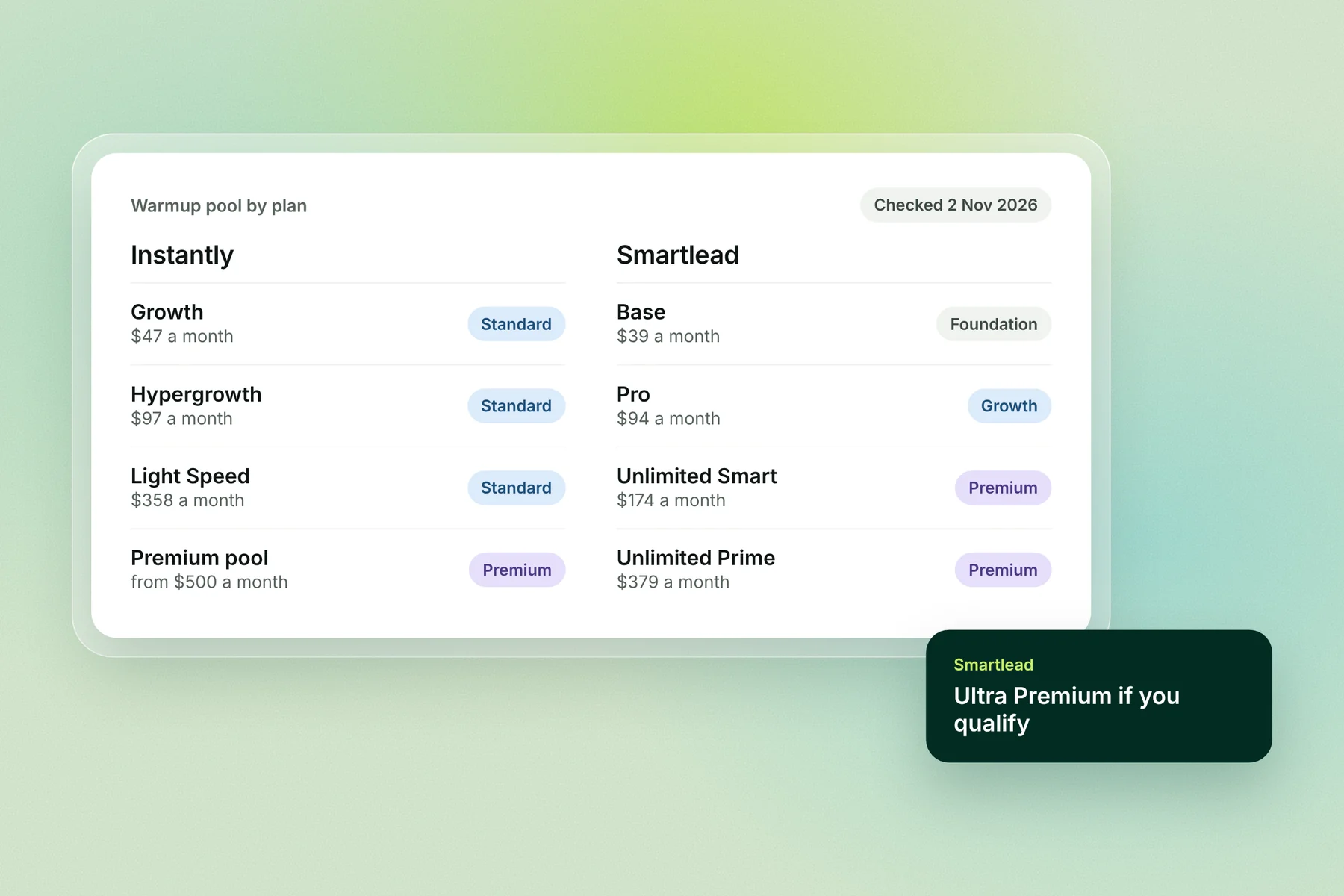
The short answer: Instantly includes warmup on every plan from $47 a month, in a shared Standard pool; its Premium pool of aged Google and Microsoft inboxes costs from $500 a month. Smartlead includes warmup from $39 a month, but the pool depends on the plan: Foundation on Base, Growth on Pro, Premium from $174. Look elsewhere if you want warmup without a monthly plan, or if you warm many SMTP inboxes.
Instantly warmup vs Smartlead warmup at a glance
Instantly | Smartlead | |
|---|---|---|
Cheapest plan with warmup | Growth, $47 a month | Base, $39 a month |
Warmup on that plan | "Unlimited Email Warmup", Standard pool | Foundation pool |
Better pool | Premium: aged Google and Microsoft inboxes, from $500 a month per workspace | Premium on Unlimited Smart ($174) and Prime ($379); Ultra Premium if you qualify |
Private pool | From $1,000 a month | Not stated on its pricing page |
Main catch | Over your plan's SMTP cap (100 on Growth), the whole workspace drops to the Basic pool | Base and Pro get lower pool tiers; Ultra Premium will become paid later |
Warmup before campaigns | At least 2 weeks, health score above 90% | At least 2 weeks for an existing inbox, 1 to 2 months for a new domain |
Free trial | Yes, no card | Yes, no card |
How Instantly warmup works
Instantly puts every inbox that turns on warmup into a shared pool of other Instantly users' inboxes. Your inbox sends warmup emails to them and they send to you; the emails are opened automatically, many get replies, and any that land in spam are moved to the inbox.
A new inbox starts at Instantly's recommended defaults: 10 warmup emails a day, rising by 1 a day, with a 30% reply rate. Advanced settings add weekdays-only sending, read emulation, an open-rate target, spam protection and "mark important". Instantly says to warm an inbox for at least 2 weeks, and until its warmup health score is above 90%, before using it in campaigns.
Instantly's warmup pools
Pool | Who's in it | Cost |
|---|---|---|
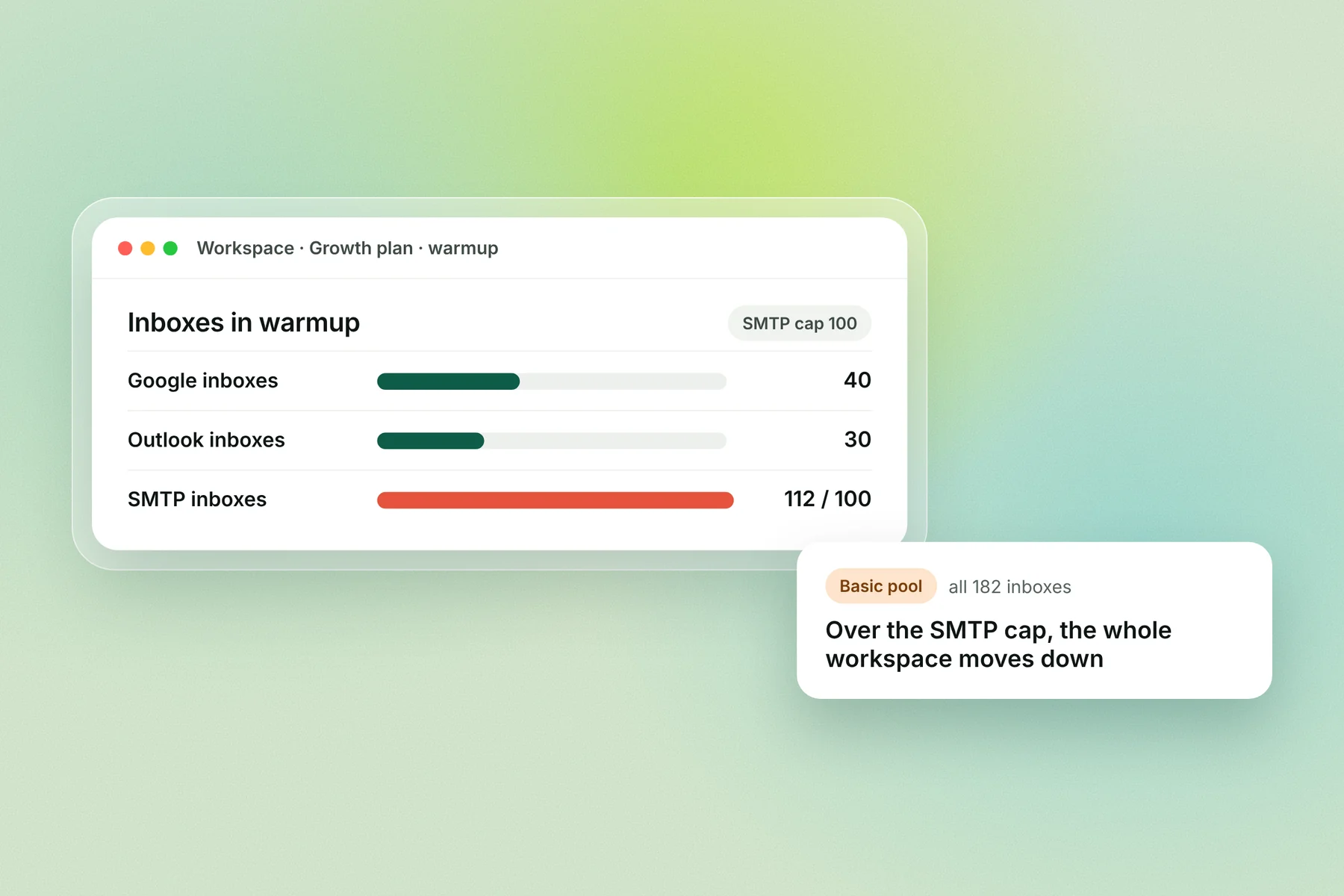
Basic | Mostly SMTP inboxes, "weaker deliverability" | Included, but you land here if you exceed the SMTP cap |
Standard | A mix of Google, Outlook and SMTP inboxes; the default | Included on every plan |
Premium | Aged Google and Microsoft inboxes only | From $500 a month per workspace (Instantly's own pre-warmed inboxes join free) |
Private | Only your own inboxes; at least 50% must be Google or Outlook | From $1,000 a month |
The SMTP cap most people miss
Each Instantly plan caps how many SMTP inboxes can sit in the Standard pool: 100 on Growth, 500 on Hypergrowth and 1,000 on Light Speed, plus 500 per Outbound add-on. Go over and Instantly moves every inbox in the workspace to the Basic pool, including your Google and Outlook inboxes. Upgrading or buying add-ons moves them back, at 12 am UTC the next day.
How Smartlead warmup works
Smartlead starts warmup automatically when you connect a mailbox. Its AI sends, opens and replies to warmup emails, moves any that land in spam to the inbox, and varies subject lines, copy and send times. It pauses an inbox on its own after a bounce spike or spam flags. You set a daily cap and a reply rate, and each mailbox gets its own ramp.
Smartlead suggests warming an existing inbox for at least 2 weeks and a brand-new domain for 1 to 2 months.
Smartlead's warmup pools by plan
Plan | Price a month | Warmup pool |
|---|---|---|
Base | $39 | Foundation |
Pro | $94 | Growth (eligible for Ultra Premium) |
Unlimited Smart | $174 | Premium (eligible for Ultra Premium) |
Unlimited Prime | $379 | Premium (eligible for Ultra Premium) |
Ultra Premium: who gets it
Ultra Premium is Smartlead's top pool. It's open to eligible Pro, Smart and Prime users, judged on six things: account age, SPF/DKIM/DMARC setup, bounce rate, sending volume, reply rate and the mix of email providers. Smartlead doesn't publish the thresholds; they show in your pool status. It's free for those who qualify today, but Smartlead says it "will become a paid add-on in a future release", with no price yet.
What it costs to warm 10 inboxes
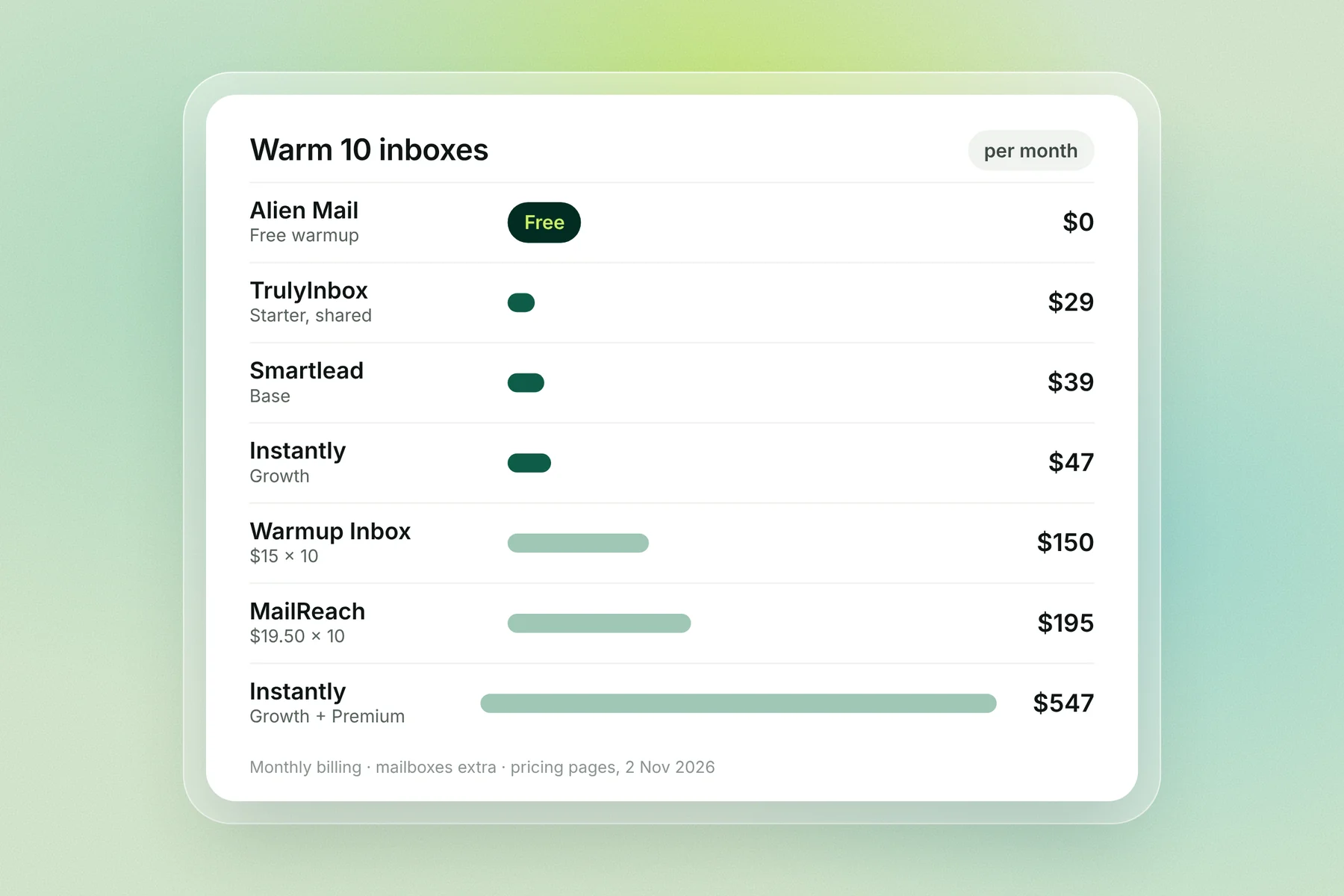
Instantly and Smartlead include warmup in a sending plan, so their price covers sending too. Standalone warmup tools charge for warmup only, and you'd still need a sender.
Setup | Pool or plan | Cost a month for 10 inboxes | What else it covers |
|---|---|---|---|
Alien Mail | Free warmup | $0 | Cold emails billed per email sent |
TrulyInbox | Starter, 200 warmup emails a day shared | $29 | Warmup only (20 a day per inbox) |
Smartlead | Base, Foundation pool | $39 | 6,000 emails a month |
Instantly | Growth, Standard pool | $47 | 5,000 emails a month |
Warmup Inbox | Basic, $15 per inbox | $150 | Warmup only (75 a day per inbox) |
Smartlead | Unlimited Smart, Premium pool | $174 | 150,000 emails a month |
MailReach | $19.50 per mailbox | $195 | Warmup only |
Instantly | Growth + Premium pool | $547 | 5,000 emails a month |
Mailbox costs (Google Workspace or Microsoft 365) are extra in every row. Prices are monthly billing, checked 2 Nov 2026.
When a different warmup setup makes sense
Instantly and Smartlead warmup are fine for most teams already paying for either tool. A different setup is worth it in four cases:
You warm a lot of SMTP inboxes on Instantly. Past the plan's SMTP cap (100 on Growth), every inbox in the workspace drops to the Basic pool. You either upgrade, buy add-ons, or move warmup elsewhere.
You're on Smartlead Base or Pro and want a stronger pool. Base gets Foundation and Pro gets Growth. Premium starts at $174 a month, and Ultra Premium depends on meeting criteria Smartlead doesn't publish.
You send in bursts. Both tools charge a monthly plan whether you send that month or not. If warmup is the main reason you keep a plan, free warmup with pay-per-email sending can cost less.
You only need warmup, not sending. A standalone tool such as TrulyInbox ($29 shared) or Warmup Inbox ($15 per inbox) warms inboxes you send from somewhere else.
Stay where you are if you use Instantly's or Smartlead's other features every day, or if you send a steady, high volume every month: a flat plan gets cheaper per email as volume grows. For a full side-by-side, see Alien Mail vs Instantly and Alien Mail vs Smartlead.
How to switch warmup without losing reputation
Reputation belongs to your domain and inboxes, not to the warmup tool, so switching doesn't reset it. A gap or a sudden change in volume can still hurt, so switch carefully.
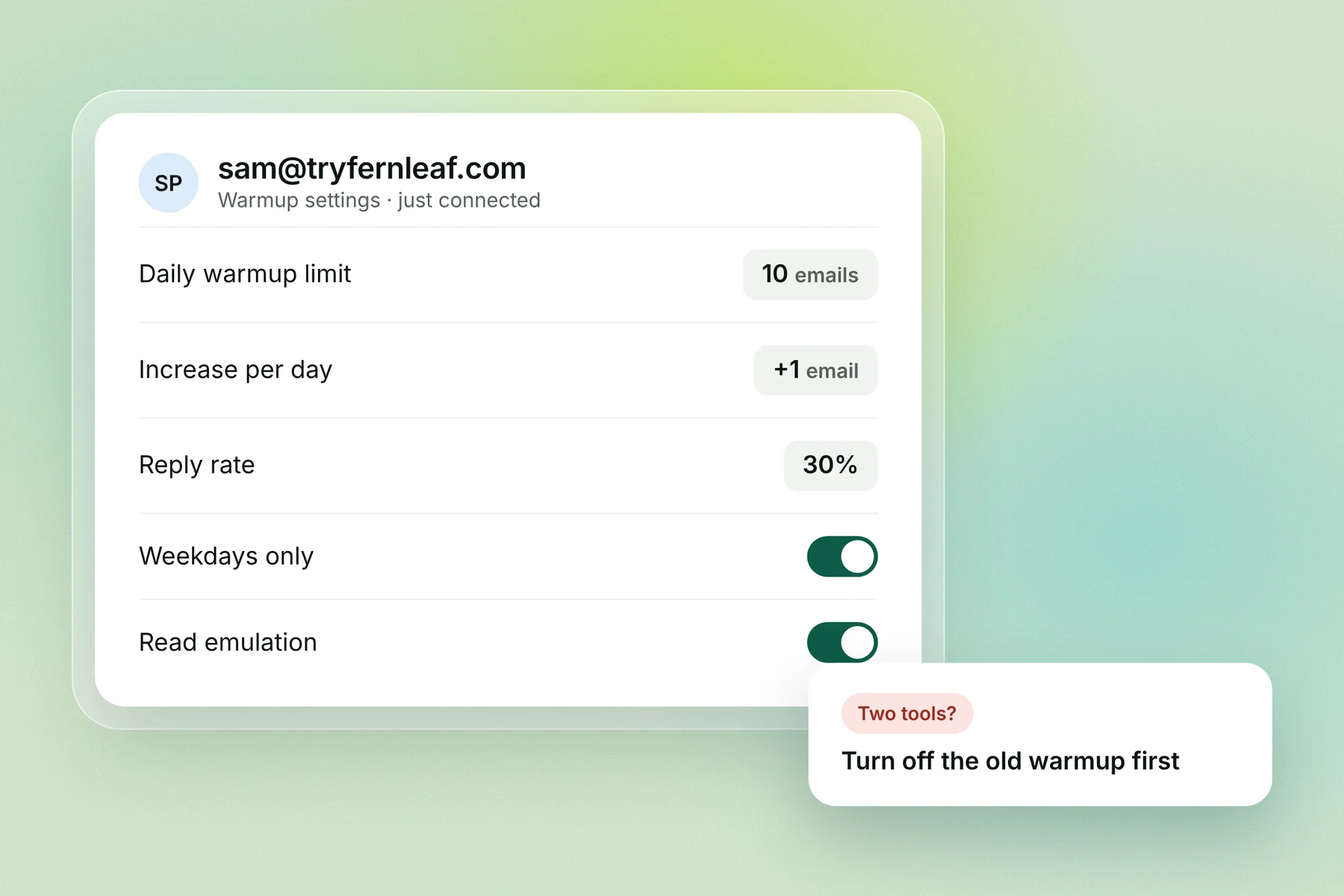
Turn warmup off in the old tool first. Two warmup tools on one inbox double the daily volume and look unnatural.
Connect the same inboxes to the new tool the same day, so warmup doesn't pause for long.
Start near the volume the inbox was already at, not from zero, then let the tool manage the ramp.
Check SPF, DKIM and DMARC on each domain before you send. See SPF, DKIM and DMARC explained.
Keep warmup running for 1 to 2 weeks before your first campaign from the new tool, and keep it on after that.
Free warmup in Alien Mail
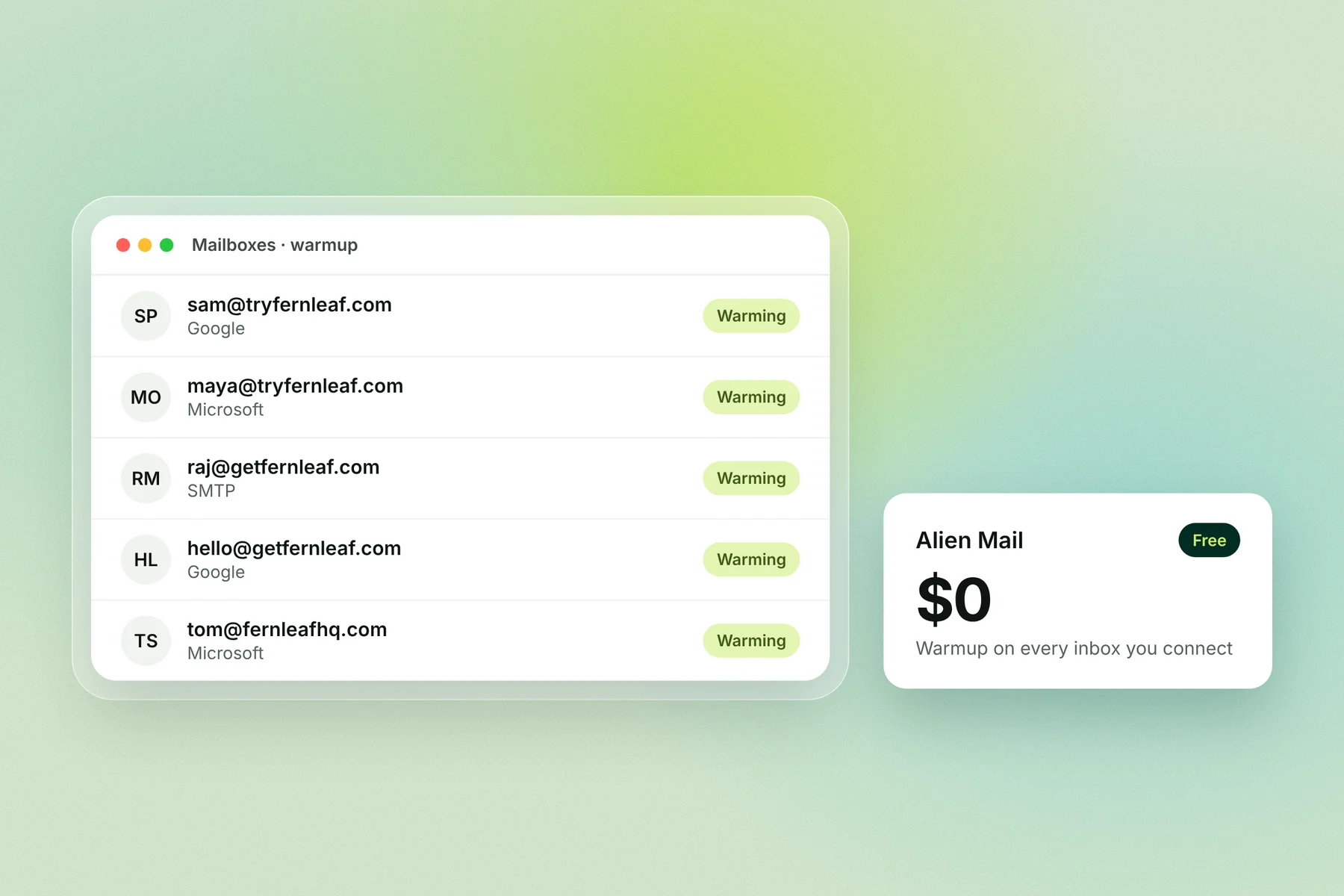
Alien Mail warms every inbox you connect for free, with no inbox limit and no monthly plan. Warmup emails don't use credits; you pay only for cold emails you send, at 4 credits per email: about $12 for 5,000 emails. It connects Google Workspace, Microsoft 365 and other SMTP inboxes, and raises each inbox's warmup volume as it earns trust (daily cap).
Start free warmup → · How Alien Mail warmup works
Frequently asked questions
Is Instantly warmup free? Warmup is included in every Instantly plan, from Growth at $47 a month, with no separate charge for the Standard pool. The Premium pool of aged Google and Microsoft inboxes costs from $500 a month per workspace.
Is Smartlead warmup included on every plan? Yes, each plan includes a warmup pool: Foundation on Base ($39), Growth on Pro ($94) and Premium on Unlimited Smart ($174) and Prime ($379).
What is Smartlead Ultra Premium warmup? Smartlead's top warmup pool, open to Pro, Smart and Prime users who meet its criteria on account age, authentication, bounces, volume, replies and provider mix. It's free for qualified users now and will become a paid add-on later.
What is the Instantly Premium warmup pool? A pool of aged Google and Microsoft inboxes only, from $500 a month per workspace. Instantly's own pre-warmed inboxes join it at no extra cost.
Why did my Instantly inboxes move to the Basic pool? Your workspace has more SMTP inboxes than your plan allows in the Standard pool (100 on Growth, 500 on Hypergrowth, 1,000 on Light Speed). Upgrade or add capacity and they move back at 12 am UTC.
How long should I warm up in Instantly or Smartlead before sending? Instantly says at least 2 weeks and a health score above 90%. Smartlead says at least 2 weeks for an existing inbox and 1 to 2 months for a new domain.
Can I use a separate warmup tool with Instantly or Smartlead? Yes, but turn off the built-in warmup on those inboxes first. Running two warmup tools on one inbox doubles the volume and looks unnatural.
Key terms
Warmup pool: the group of inboxes that exchange warmup emails with yours. Its quality sets how much the warmup helps.
Standard pool (Instantly): the default mix of Google, Outlook and SMTP inboxes every plan gets.
Foundation pool (Smartlead): the warmup pool on Smartlead's Base plan.
SMTP inbox: an inbox connected by server settings rather than as a Google or Microsoft account.
Warmup health score: Instantly's score for how well an inbox is warming; it suggests above 90% before campaigns.