Email Warmup Schedule: How Many Emails to Send Each Day
A day-by-day email warmup schedule for a new inbox: how many warmup and cold emails to send each day for 30 days, and when to slow down.

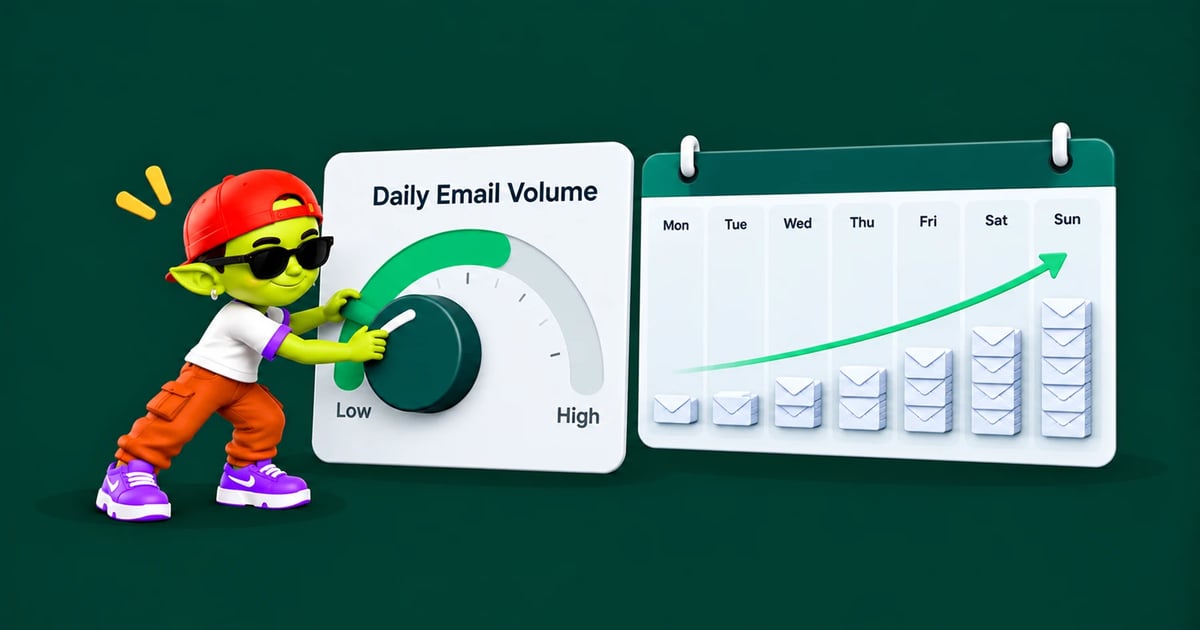
The short answer: an email warmup schedule for a new inbox starts at about 5 warmup emails a day, adds a few more every few days, and holds off on real cold emails until day 11. By day 30 the inbox sends around 45–50 emails a day in total, with up to 30 of them cold. Keep warmup running after that, and never let one inbox go above about 50 emails a day.
Below is the full day-by-day email warmup schedule, the signals that tell you to slow down, and how to adjust it for older domains, recovering domains and Microsoft 365.
Before day one
A schedule can't fix a broken setup. Check these first, or the ramp just builds a bad reputation faster:
SPF, DKIM and DMARC pass for the sending domain. See SPF, DKIM and DMARC explained.
A separate sending domain, not your main company domain. Our guide to secondary domains for cold email covers how many you need.
A real profile: a name, a photo and a short signature on every inbox.
Domain age: if the domain is brand new, let it sit for a week or two while warmup runs. New domains get extra scrutiny.
The 30-day email warmup schedule
These numbers are per inbox. If you run ten inboxes, each one follows this schedule on its own.
Days | Warmup emails / day | Cold emails / day | Total / day |
|---|---|---|---|
1–3 | 5 | 0 | 5 |
4–7 | 10 | 0 | 10 |
8–10 | 15 | 0 | 15 |
11–14 | 20 | 5–10 | 25–30 |
15–21 | 25 | 10–20 | 35–45 |
22–30 | 20–25 | 20–30 | 45–50 |
31+ | 15–20 (keep running) | Up to 30 | Up to 50 |
Three rules sit behind these numbers:
No cold emails for the first 10 days. The inbox has no reputation yet, so there is nothing to spend.
Grow slowly. Raise the total by a few emails at a time and never double it from one week to the next. A sudden jump looks like a hacked or spam account.
Warmup doesn't stop. Once cold sending starts, warmup keeps running in the background to balance cold emails with positive engagement.
New to warmup? Start with what email warmup is and how it works.
Why not ramp faster?
Some warmup tools push a single inbox to 100–150 warmup emails a day within a month. That makes their dashboards look busy, but it isn't how real people email, and it isn't needed. Mailbox providers judge an inbox by how its sending pattern and engagement look over time. A steady, human-sized pattern of 30–50 emails a day with real replies builds more trust than a big number with no history.
If you need more volume, add more inboxes instead of pushing one inbox harder. Ten inboxes at 30 cold emails each send 300 a day, with each one staying well inside safe limits.
The daily ceiling per inbox
Provider limits are much higher than what is safe for cold email. Google Workspace allows about 2,000 emails a day per user, and Microsoft 365 allows up to 10,000 recipients a day per mailbox. Those limits are for normal business email, not cold outreach.
For cold email, keep each inbox at about 50 emails a day in total (warmup plus cold), with no more than 30 of them cold. Our post on Gmail sending limits explains the difference between the provider limit and the safe limit.
Signals to slow down or pause
Check these every few days during the ramp. If one shows up, hold the current volume for a week, or drop back one step.
Signal | What it means | What to do |
|---|---|---|
Warmup emails landing in spam more than now and then | Reputation isn't building yet | Hold volume, check authentication |
Bounce rate above 2% | List problem, not warmup | Pause cold sends, verify the list |
Open rate drops suddenly | Emails may be going to spam | Run a placement test, drop back one step |
Spam complaints near 0.1% | Recipients are marking you as spam | Stop cold sends, fix targeting and copy |
Domain on a blacklist | Reputation damage | Pause and follow the blacklist removal guide |
See cold email benchmarks for what normal bounce, open and reply rates look like.
How to adjust the schedule
Domain with a good sending history
If the domain has sent normal business email for a year or more without problems, you can usually start cold sends after about a week and reach full volume in 2–3 weeks.
Domain that is recovering
If a domain was blacklisted or landed in spam, stop all cold sends and run warmup only for 2–4 weeks before starting this schedule again from day 1. Read domain reputation explained to see what you are rebuilding.
New inbox on a domain that already sends
A new inbox on a domain with a good reputation still needs its own warmup, but it can usually move a step faster. Don't skip the first 10 days of warmup-only sending.
Microsoft 365 versus Google Workspace
The same schedule works for both. Microsoft is often stricter with new tenants, so if you use Microsoft 365, stay on each step a little longer and watch Outlook placement closely.
Sending pattern within the day
Spread sends out. Leave a few minutes between emails instead of sending them all at once.
Send in working hours for the recipient's time zone.
Send fewer emails at weekends, the way real people do.
Keep daily volume steady. 30 a day every weekday is better than 0 one day and 100 the next.
Automate the schedule with Alien Mail
Doing this by hand across many inboxes is slow and easy to get wrong. Alien Mail's free email warmup ramps each inbox automatically, keeps warmup running alongside your campaigns and works for unlimited inboxes. You only pay for the cold emails you send, and new accounts get 100 free credits. Comparing tools? See our lists of the best email warmup tools and free email warmup tools.
FAQ
How long does email warmup take?
About 3–4 weeks for a new domain before you reach full cold sending volume. An older domain with good history can be ready in 1–2 weeks, and a recovering domain can need 6 weeks or more.
How many emails should I send per day during warmup?
Start at about 5 a day per inbox and raise it slowly to 45–50 in total by day 30. Keep cold emails at zero for the first 10 days and under 30 a day after that.
Can I speed up warmup?
A little, if the domain already has a good sending history. On a new domain, skipping steps is the most common reason inboxes end up in spam. Add more inboxes instead of rushing one.
Should I stop warmup once campaigns are running?
No. Keep 15–20 warmup emails a day running for as long as the inbox sends cold email. Reputation fades without regular positive engagement. Read does email warmup work for the evidence.
How do I send 1,000 cold emails a day safely?
Use more inboxes, not more volume per inbox. At 30 cold emails per inbox, that is about 34 warmed inboxes, usually spread over 10 or more domains. Our post on the cost per warmed inbox shows what that costs.