Email Bounce Rate: What's Good and How to Get Under 2%
What a good email bounce rate is, hard vs soft bounces, common bounce codes, and the verification steps that keep cold email bounces under 2%.

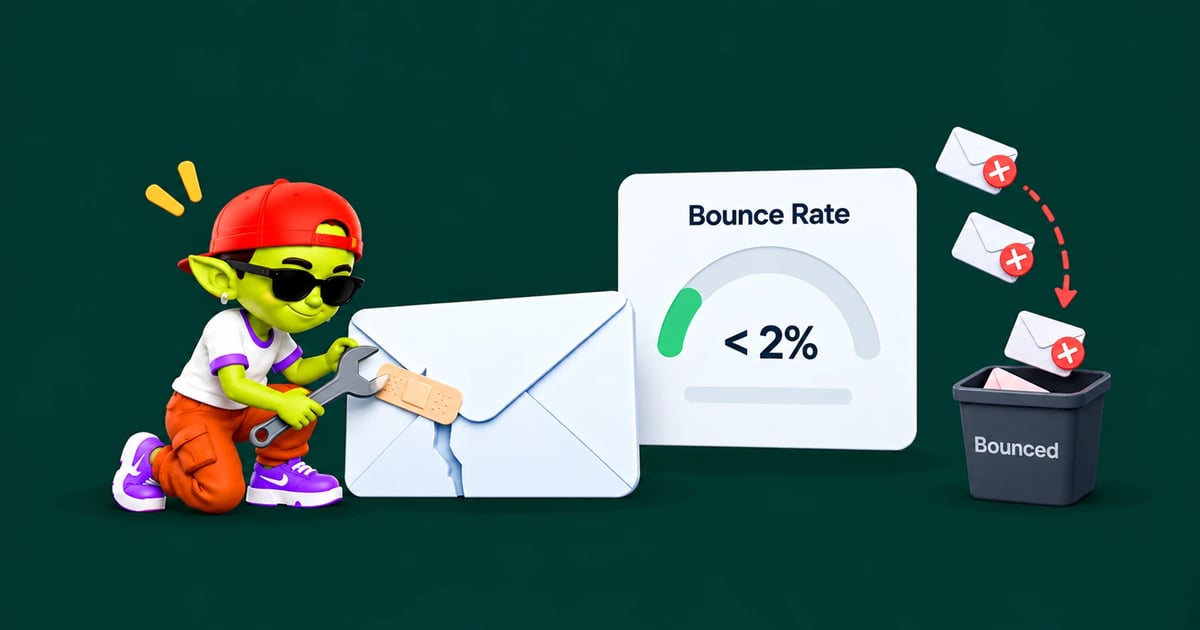
The short answer: email bounce rate is the share of your emails that could not be delivered. For cold email, a good email bounce rate is under 2%. Between 2% and 5% means your list needs cleaning, and above 5% you should stop sending, because mailbox providers read it as a sign of a bought or scraped list. The fix is almost always the same: verify every address right before you send.
How to calculate email bounce rate
Bounce rate = bounced emails ÷ emails sent × 100. If you send 500 emails and 9 bounce, your bounce rate is 1.8%.
Count it per campaign and per inbox. One old list or one bad import can push a single inbox far above the average without showing up in your account totals.
What is a good email bounce rate?
Bounce rate | What it means | What to do |
|---|---|---|
Under 1% | Excellent, a freshly verified list | Keep verifying before each send |
1–2% | Healthy for cold email | Remove hard bounces after every send |
2–5% | The list is going stale | Verify again before the next send |
Above 5% | Risky, reputation damage starts | Pause the campaign and clean the list |
The data backs this up. In Woodpecker's benchmark of 56,614 campaigns, campaigns bouncing under 2% got about 60% more replies than campaigns bouncing above 20%. In Saleshandy's 2026 data, addresses marked valid by verification bounced 1.21% of the time, while addresses marked bad bounced 10.58%.
Hard bounces vs soft bounces
Hard bounces: permanent
A hard bounce means the email can never be delivered to that address. The mailbox doesn't exist, the domain doesn't exist, or the server has permanently refused you. Remove a hard-bounced address after the first bounce and never send to it again. Repeatedly sending to dead addresses is one of the clearest bad-sender signals there is.
Soft bounces: temporary
A soft bounce is a temporary problem: the mailbox is full, the server is down, or it is slowing you down. Your sending tool will usually retry. If the same address soft-bounces three times in a row, treat it as a hard bounce and remove it.
Common bounce codes
Code | Meaning | Type | What to do |
|---|---|---|---|
550 5.1.1 | Mailbox doesn't exist | Hard | Remove the address |
550 5.1.10 | Recipient not found (Microsoft 365) | Hard | Remove the address |
552 5.2.2 | Mailbox full | Soft | Retry later, remove after repeats |
421 4.7.0 | Try again later (rate limit or reputation) | Soft | Slow down, lower daily volume |
550 5.7.1 | Rejected by policy, often spam filtering | Block | Fix reputation or content, not the list |
550 5.7.26 | Failed authentication (Gmail) | Block | Fix SPF, DKIM and DMARC |
The last two rows are block bounces: the address is real, but the server refused your email. Removing those contacts won't help. They point to a problem with your domain, so check your SPF, DKIM and DMARC setup and your domain reputation.
Why lists go bad so fast
B2B contact data goes out of date constantly. People change jobs, get promoted, leave companies, and companies rebrand or switch domains. A list that was clean six months ago can easily bounce above 2% today, and a scraped or bought list often starts far higher.
This is why verifying when you build a list isn't enough. Verify right before you send.
What email verification checks
Syntax: the address is written correctly (no missing @, no typos like gmial.com).
Domain: the domain exists and has mail servers (MX records).
Mailbox: the mail server confirms the mailbox exists, without sending an email.
Risk flags: role addresses (info@, sales@), disposable domains and known risky addresses.
How to treat each result
Result | Send? |
|---|---|
Valid | Yes |
Invalid | Never. Remove it |
Catch-all (accept-all) | Only in small batches, and only to your best-fit contacts |
Unknown | Re-check later or leave out |
Role or disposable | Usually leave out of cold campaigns |
Catch-all domains accept every address, so verification can't tell whether a person's mailbox is real. That makes them the biggest source of bounces on "verified" lists.
Spam traps: the risk bounce rate won't show
Some old addresses don't bounce at all. Mailbox providers turn them into spam traps that silently record anyone who sends to them. Hitting traps damages your reputation without raising your bounce rate. Old lists, scraped lists and bought lists carry the most traps. Learn more in spam traps explained.
How to keep your bounce rate under 2%
Verify every list right before sending, not when you build it.
Remove hard bounces automatically after every send, across all campaigns.
Send to catch-all addresses in small batches and stop if they bounce.
Never buy lists. They are full of dead addresses and traps.
Watch bounce rate per inbox. Pause any inbox that goes above 3% in a day.
Warm up new inboxes before sending, so a few bounces don't hit an inbox with no reputation. See the email warmup schedule.
What to do after a high-bounce campaign
Pause the campaign and any inbox that sent it.
Remove every hard-bounced address and verify the rest of the list.
Check whether your domain landed on a blacklist, using our blacklist removal guide.
Restart slowly at a lower daily volume with warmup running, and watch placement with a few seed addresses.
For the full picture, work through our cold email deliverability checklist.
Verify and send from one place with Alien Mail
Alien Mail has email verification built in, so lists are checked before they go out, and hard bounces are removed automatically. Every inbox gets free email warmup, and you pay per email sent with no monthly seat fees. New accounts get 100 free credits.
FAQ
What is a good email bounce rate?
Under 2% for cold email, and under 1% if your list was just verified. Above 5% is a warning sign that will hurt your sender reputation.
What is the difference between a hard and a soft bounce?
A hard bounce is permanent, usually because the address doesn't exist. A soft bounce is temporary, such as a full mailbox or a busy server. Remove hard bounces at once and soft bounces after three failures in a row.
How often should I verify my email list?
Right before every campaign. If a list sits unused for more than a month or two, verify it again before sending.
Does a high bounce rate affect deliverability?
Yes. Mailbox providers see high bounces as a sign of a careless or bought list, and start filtering more of your emails to spam, including the ones to real addresses. Compare your numbers with our cold email benchmarks.
Should I send to catch-all emails?
Only carefully. Catch-all domains accept everything at first, so some addresses bounce later or never reach a person. Send to them in small batches, only to your best-fit contacts, and stop if bounces rise.