Cold Email Deliverability Checklist (14 Checks)
A cold email deliverability checklist for 2026: 14 checks for domains, authentication, warmup, lists, volume and copy to run before every campaign.

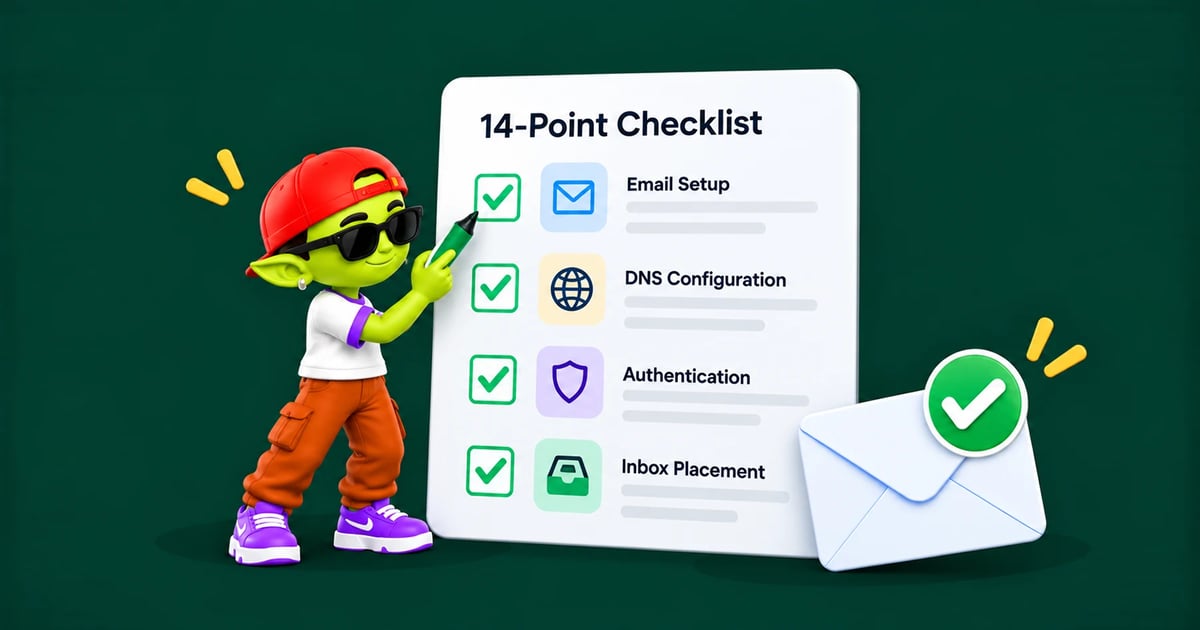
This cold email deliverability checklist covers the 14 things that decide whether your emails reach the inbox or land in spam. Most take under ten minutes to check. Run through it before every new campaign, and again whenever your reply rate suddenly drops.
The quick checklist
☐ Sending from a separate domain, not your main one
☐ Domain registered at least 4–6 weeks ago, with a real web page on it
☐ Custom tracking domain set up (or tracking turned off)
☐ One SPF record, under 10 DNS lookups
☐ DKIM turned on and showing
pass☐ DMARC published
☐ Meets the 2024/2025 Gmail, Yahoo and Outlook sender rules
☐ Every inbox warmed for 3–4 weeks, with warmup still running
☐ Domain not on any blocklist
☐ List verified right before sending
☐ No bought lists
☐ 30–50 emails a day per inbox at most, ramped up slowly
☐ Plain, short copy with one link at most and an easy way to opt out
☐ Monitoring in place for bounces, complaints and inbox placement
Below, each check is explained.
Domain and setup
1. Send from a separate domain, never your main one
Register a lookalike domain for cold email, like getyourcompany.com or yourcompany.io next to yourcompany.com. If a campaign gets spam complaints, the damage stays on a domain you can replace, not the one your invoices and support emails depend on.
Use two or three sending domains and spread inboxes across them, so one problem domain doesn’t stop all your outreach. Here’s how many secondary domains you need and how to set them up.
2. Let the domain age before sending
Register it at least 4–6 weeks before your first campaign, and put a real page on it (or redirect it to your main site). A domain registered yesterday, with no website, sending cold email, is one of the clearest spam signals there is.
3. Set up a custom tracking domain
Open and click tracking sends your links through a tracking domain. If that’s your tool’s shared domain, you share the reputation of every other sender using it, including the bad ones. Set up your own, like track.yourdomain.com, with a CNAME record. Or turn open tracking off: it’s unreliable anyway, and removing tracking pixels gives spam filters one less thing to flag.
Authentication
4. Publish one SPF record, under 10 lookups
One v=spf1 record that includes every service sending for your domain. Two SPF records on the same domain, or more than 10 DNS lookups, make SPF fail completely. End it with ~all while you set things up; once DMARC is in place, ~all is fine for most senders.
5. Turn on DKIM and check it’s actually signing
Creating a DKIM key isn’t the same as turning signing on. In Google Workspace, you must click Start authentication after adding the record. In Microsoft 365, you turn DKIM on for each domain after adding both CNAME records. Check a test email’s headers: it must say dkim=pass.
6. Publish DMARC
Start with p=none and a report address (rua). This is the minimum Google, Yahoo and Microsoft require. Read the reports for 2–4 weeks, then move to quarantine and later reject for stronger protection against people pretending to be your domain. Step-by-step setup in our SPF, DKIM and DMARC guide.
7. Meet the Gmail, Yahoo and Outlook sender rules
Since 2024, Google and Yahoo require bulk senders to pass SPF and DKIM, publish DMARC, keep spam complaints under 0.3%, and offer easy unsubscribe. Since May 2025, Microsoft applies similar rules to Outlook.com, Hotmail and Live addresses. Details in our guide to Outlook and Microsoft 365 bulk sender rules.
Reputation
8. Warm up every inbox, and never stop
Warm up each new inbox for 3–4 weeks before real sending, then keep warmup running in the background for as long as you send. Reputation fades when the positive engagement stops. See what email warmup is and a day-by-day email warmup schedule.
9. Check your domain against blocklists
Before launch, check Spamhaus (including the Spamhaus DBL for domains), Barracuda and SpamCop. A listing explains a sudden collapse in inbox placement. If you’re listed, fix the cause before asking to be removed, because getting listed again after a failed fix is much harder to undo. Full steps in our email blacklist removal guide.
List quality
10. Verify every list right before sending
Bounces are the fastest way to damage a domain. Keep your bounce rate under 2%; above 5% is a clear danger sign. Verify each list right before you send, not when you built it, because B2B emails go out of date quickly as people change jobs.
Remove role addresses (info@, sales@, support@) and anything marked invalid or risky. Send to catch-all addresses separately and in small batches, since some are real buyers and some will bounce. More in email bounce rate and list verification.
11. Never buy a list
Bought lists contain spam traps: addresses that exist only to catch senders who didn’t collect their own data. One hit on the wrong trap can get your domain blocklisted. Build lists from your own research. Here’s how spam traps work and how to avoid them.
Volume and content
12. Keep each inbox’s volume low and ramp up slowly
Cap each inbox at 30–50 cold emails a day. To send more, add inboxes instead of pushing each one harder. Spread sends through the working day at random intervals, since 40 emails in one minute looks like a machine. Increase total volume by no more than 20–30% a week. See Gmail’s sending limits.
13. Write emails that look personal, not like marketing
Plain text, or close to it. Heavy HTML, images and big buttons look like marketing.
One link at most. Three or more raises suspicion.
No attachments in a first email.
Honest subject lines. No fake “Re:” or “Fwd:”.
Vary your wording with spintax or template variants, so hundreds of emails aren’t identical.
Keep it short. Most good cold emails are under 125 words.
Make opting out easy, and honor it right away. A few opt-outs hurt far less than spam complaints.
Check your copy before sending with a SpamAssassin score test.
Monitoring
14. Track four numbers after every launch
The checklist doesn’t end when you hit send. Watch these continuously:
Metric | Healthy | Investigate | Stop sending |
|---|---|---|---|
Bounce rate | Under 2% | 2–5% | Above 5% |
Spam complaint rate | Under 0.1% | 0.1–0.3% | Above 0.3% |
Reply rate | Above 3% | 1–3% | Under 1% (placement is likely the cause) |
Inbox placement (seed test) | Above 90% | 70–90% | Under 70% |
Keep a seed list of your own addresses on Gmail, Outlook, Yahoo and a company Microsoft 365 account, and include it in every campaign. It’s the only way to see where your emails actually land instead of guessing from opens. Set up Google Postmaster Tools for each sending domain too: once you send enough to Gmail, it shows your domain reputation and spam rate. Compare tools in the best email deliverability testing tools.
Weekly domain health check
Reputation rarely collapses overnight. It slips over weeks, so a 20-minute check every week catches problems while they are still easy to fix.
Check | Healthy | Warning | How to check |
|---|---|---|---|
SPF, DKIM, DMARC | All pass | Any fail or missing | "Show original" in Gmail, MXToolbox |
Blacklists | Not listed | Listed on Spamhaus, Barracuda, URIBL | MXToolbox blacklist check |
Gmail spam rate | Under 0.1% | 0.1–0.3% | Google Postmaster Tools |
Inbox placement | Seed emails in the inbox | Any in spam or Junk | Seed addresses or a placement test |
Warmup placement | Almost all in the inbox | A rising share in spam | Your warmup dashboard |
Daily volume per inbox | About 30 cold emails | Creeping above 50 total | Your sending tool |
Monthly checks
DNS review: still exactly one SPF record (under 10 lookups) and one DMARC record on each domain.
DMARC reports: look for unknown senders using your domain.
Renewals: make sure no domain or mailbox is about to expire.
Inbox clean-up: retire inboxes that keep underperforming and warm up replacements.
Early warning signs, in the order they usually appear
Warmup emails start landing in spam a little more often.
Open rates drift down across campaigns from one domain.
Replies drop even though copy and targeting haven't changed.
Seed addresses at one provider (often Microsoft 365) start getting Junk placement.
Bounces with codes like 421 or 550 5.7.1 appear.
A blacklist listing or a spam rate spike in Postmaster Tools.
Acting at step 1 or 2 is cheap; by step 6 you are in recovery mode. See domain reputation explained and the email deliverability testing tools for each check.
What to do when deliverability drops
Work through these in order. The cheapest checks are also the most common causes:
Pause sending. Sending into a reputation problem makes it worse.
Check authentication. A DNS change, an expired key or a new sending tool quietly breaking DKIM is the most common cause of a sudden drop.
Check blocklists. Quick, and it explains things immediately if you’re listed.
Review your last campaign’s bounces and complaints. A bad list segment usually shows up here.
Run a seed test to see placement by provider. The problem is often only at Microsoft or only at Google.
Go back to warmup only for 1–2 weeks, then restart at half your previous volume.
Understand what’s happening behind the scenes in domain reputation explained.
Let Alien Mail run most of this checklist for you
Most of these checks can be automated. When you connect a mailbox, Alien Mail checks your SPF, DKIM, DMARC and tracking domain, runs free unlimited warmup on every inbox, verifies lists before you send, spreads volume across inboxes automatically, and tracks each inbox’s health so a struggling inbox is paused before it hurts your domain.
See Alien Mail’s deliverability monitoring or book a walkthrough.
Frequently asked questions
Why are my cold emails going to spam?
The most common causes, in order: DKIM not actually signing, no warmup on a new domain, a bounce rate above 5% from an unverified list, too many emails per inbox, and a shared tracking domain. More in why cold emails land in Gmail spam.
How do I test cold email deliverability?
Send to a seed list of your own addresses on Gmail, Outlook, Yahoo and a company Microsoft 365 account, and note where each email lands. Add a seed-test tool for wider coverage.
What is a good inbox placement rate?
Above 90% in the primary inbox. Between 70% and 90% means a reputation problem worth looking into. Below 70%, stop and find the cause before sending more.
How long does it take to recover from a deliverability drop?
If you catch it early and fix the cause, 2–4 weeks of warmup-only sending usually restores placement. Domains with blocklist history or repeated complaint spikes may never fully recover.
How often should I run this checklist?
Before every new campaign and every new domain, and right away whenever bounces, complaints or reply rates change suddenly.